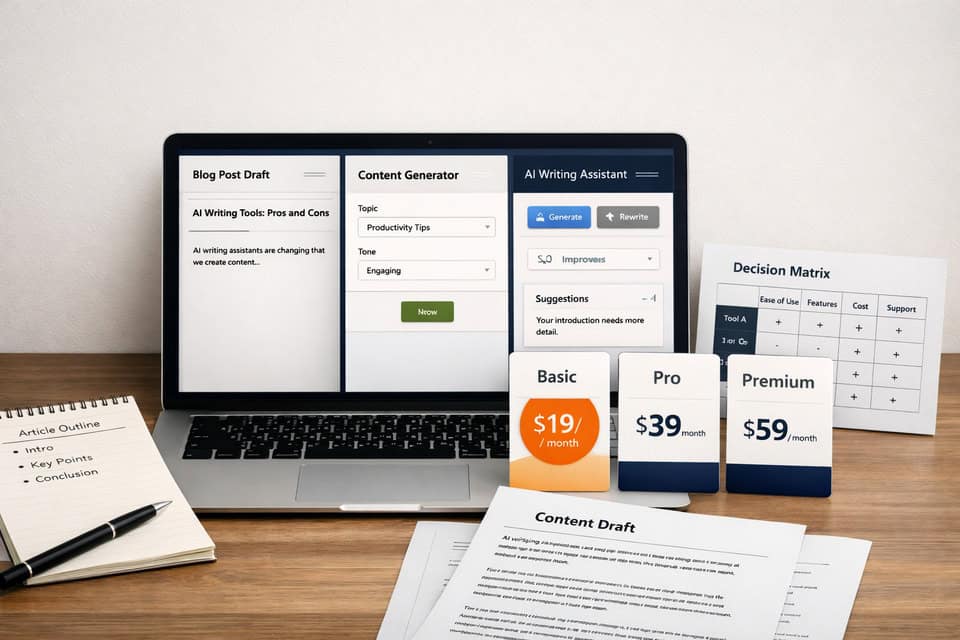
Best AI Writing Assistants: How to Pick One Without Regret
Best AI writing assistants can save hours each week, but only if the tool matches the kind of writing you actually do. I’ve tested general assistants, template-heavy copy tools, and built-in writing helpers, and the pattern is clear: the “best” option shifts fast once you move from a landing page to a blog post, a student paper, or internal business docs. What works for a landing page can feel like a straightjacket on a blog post.
The market is crowded, pricing is messy, and feature pages often sound identical. This guide cuts through that by comparing real trade-offs: output quality, editing burden, collaboration, workflow fit, and cost. If you just want the short answer, start with the next section and shortlist one tool for your main use case. You get the short answer fast, but the real value is in the trade-offs that follow.
- ChatGPT is the best flexible all-rounder for drafting, ideation, and custom workflows.
- Jasper and Copy.ai make more sense for marketing teams that need repeatable campaign output.
- Grammarly is strongest when your main problem is rewriting, clarity, and polishing existing text.
- Notion AI works well if your writing already lives inside Notion and you value convenience over depth.
- Free AI writing assistants are enough for light use, but heavy users should test editing time before paying.
If You Want the Fast Answer, Start Here
- Bloggers: ChatGPT or Writesonic
- Marketers: Jasper or Copy.ai
- Students: ChatGPT or Grammarly
- Small teams: Jasper, Copy.ai, or Notion AI
- Tight budget: start with ChatGPT free tier or built-in tools before stacking subscriptions
One thing I learned the expensive way: if your work is mostly short emails, briefs, and rewrites, you may not need a dedicated AI copywriting software platform at all. A general assistant plus a good editor can be enough. But if you produce campaigns at scale, the dedicated tools start earning their keep. The general assistant you already have might be the smarter buy until the volume proves otherwise.
Why the Wrong Tool Quietly Creates More Work
Picking from the best AI writing assistants isn’t just about speed. It shapes how much editing you’ll do, how consistent your tone stays, and how many tabs your team keeps open all day. The wrong tool often wows in a demo, then grates in daily use by churning out generic drafts that need heavy cleanup. Speed without tone control just shifts the bottleneck from typing to rewriting.
I made this mistake once by picking a tool mostly because its feature list looked longer. On paper it had templates, workflows, and brand voice controls. In practice, my actual job was writing detailed articles and nuanced client emails. The tool was fast, sure, but the output had that flat, over-smoothed tone that made everything sound like a startup intern wrote it after two coffees. I ended up editing more, not less.
Cost matters too. A $20 monthly plan feels small until you add a grammar tool, a content platform, a note app with AI, and team seats. Suddenly you are looking at $60 to $150 per person each month. The wrong tool doesn’t just slow you down—it quietly turns speed into extra editing debt.
There are also real risks. AI writing tools pros and cons are not theoretical anymore: hallucinated facts, made-up citations, compliance issues, and privacy concerns show up fast when you use these tools for business writing or research-heavy content. If you work with sensitive data, check retention policies and admin controls before you upload anything confidential.
A Practical Comparison Baseline Before You Buy
Below is a decision-focused snapshot of common options. I’m not scoring them with fake precision. This is about daily use: how the tool feels when you draft, revise, collaborate, and try to keep quality stable.
| Tool | Best fit | Strength | Trade-off | Pricing model |
|---|---|---|---|---|
| ChatGPT | General writing, research support, flexible drafting | Strong versatility and prompt control | Needs better prompting for repeatable brand output | Free and paid tiers |
| Jasper | Marketing teams, branded content workflows | Templates, collaboration, brand voice tooling | Higher cost for solo users | Subscription, team-oriented |
| Copy.ai | Sales and marketing workflows | Fast campaign and workflow automation | Can feel template-led for nuanced writing | Free and paid plans |
| Writesonic | Blogging and SEO support | Content workflows and article generation | Long-form still needs careful fact checks | Usage-based and subscription options |
| Grammarly | Editing, rewriting, clarity improvement | Excellent in-context polish | Less suited to deep content generation | Free and premium tiers |
| Notion AI | Notes, docs, internal writing | Workflow convenience inside Notion | Not the deepest specialist writer | Add-on or bundled plan structure |
For official product details, pricing, and current plan limits, check OpenAI, Grammarly, and broader market context from Email Vendor Selection.
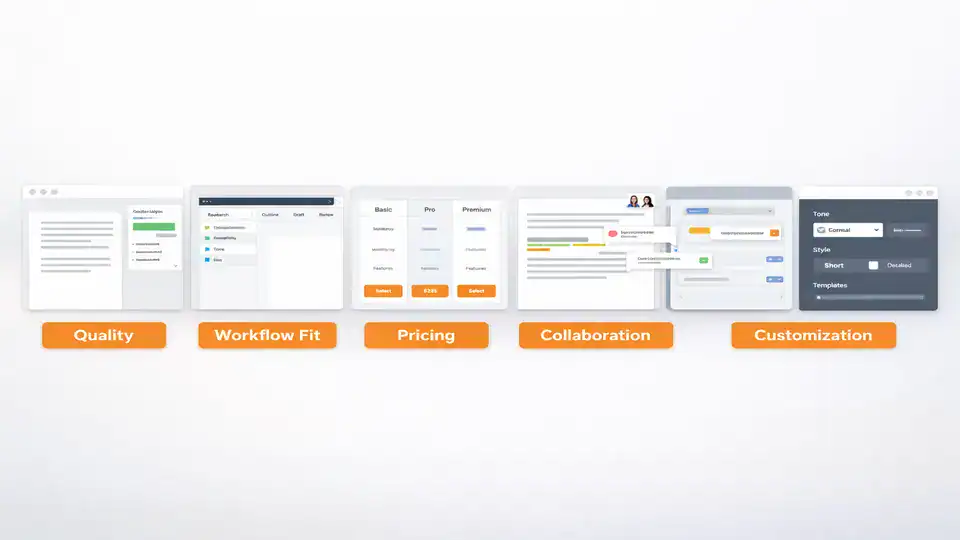
Which AI Writing Assistant Fits the Way You Actually Work?
For blogging and long-form content
If your main job is articles, newsletters, or educational content, you need structure, continuity, and decent reasoning across 1,000 to 2,000 words. That is where general assistants like ChatGPT often outperform rigid template tools. You can build outlines, ask for counterarguments, rewrite weak sections, and refine tone in one thread. Writesonic can help with SEO-oriented workflows too, especially if you want a more guided process for AI writing assistants for content creation. By the second rewrite, the thread starts to feel like a second brain.
That said, topic complexity changes everything. On general lifestyle or productivity topics, most tools perform reasonably well. On technical subjects, legal topics, or anything requiring precise sourcing, quality drops fast. I’ve seen a tool write a smooth 1,200-word draft that sounded confident and still contained three subtle factual errors. Smooth writing is not the same as reliable writing.
For marketing and conversion copy
Marketing teams usually care less about pure drafting freedom and more about repeatability. They need campaign variations, ad copy, product messaging, email sequences, and brand consistency. This is where Jasper and Copy.ai tend to justify their price. They are built for speed across repeatable assets, and that matters when your team is shipping dozens of pieces each week.
Some tools feel fast until you try to scale content production. A solo blogger may not notice workflow gaps, but a team producing paid ads, landing pages, and nurture emails definitely will. If your work is campaign-heavy, dedicated AI writing tools for business can reduce friction more than a general assistant alone.
For business writing, students, and teams
For internal docs, meeting summaries, proposals, and email cleanup, Grammarly and Notion AI are often underrated. They are less flashy, but they fit where the writing happens. Grammarly is especially useful if your drafts already exist and you need sharper wording, cleaner tone, and fewer awkward sentences. Notion AI is handy when your task is embedded in project notes and documentation.
Students sit in a mixed zone. ChatGPT is excellent for explaining concepts, brainstorming outlines, and simplifying dense material. Grammarly helps with clarity and revision. But students should be careful with paraphrasing and citation claims. AI writing assistants for students can support learning, but they are risky if used as a shortcut for facts you have not checked yourself.
For teams, look at permissions, shared prompts, brand controls, and admin visibility. If collaboration matters, compare that before you compare “creativity.” You can also pair your writing stack with broader productivity systems using resources like this AI writing workflow guide and this AI workflow automation comparison.
What Most Buyers Miss Until After They Pay
Mistake one is choosing based on features instead of fit. A long template list looks nice, but if you mostly rewrite drafts and tighten tone, a simpler tool may beat a bigger platform. Mistake two is ignoring hidden limits. Some tools cap credits, words, seats, or advanced features in ways that only become obvious after a week of real use. The bigger platform often demands more compromise than the simpler one.
Also, don’t assume the output is ready to publish. Even the strongest tools still produce generic phrasing, soft logic, and occasional inaccuracies. That is the honest downside people skip in glowing reviews. You still need a human pass for facts, tone, and structure. My own rule is simple: if a paragraph sounds too polished too quickly, I inspect it harder.
For current product pages, you can compare positioning and plan details directly at Jasper and Copy.ai. Just don’t let the polished landing pages make the decision for you.
My Honest Picks by Scenario, Including When the Answer Is None
Best overall: ChatGPT. It is the most flexible choice for individuals who write across multiple formats and want one tool that can brainstorm, draft, and revise. It handles everything from long-form articles to short copy, and its ability to switch tones mid-conversation makes it a practical daily driver rather than a single-purpose assistant. It asks for a subscription, but one tool that does all three stages — brainstorm, draft, revise — usually pays for itself in avoided tool switching.
Best for bloggers: ChatGPT for flexibility; Writesonic if you want more guided SEO-style workflows. This is especially true for people comparing the best AI writing tools for bloggers rather than pure ad-copy platforms.
Best for marketers: Jasper for brand and team structure; Copy.ai for fast workflow-driven campaign output.
Best free option: ChatGPT’s free tier is still the easiest place to start, especially for testing your own prompts and process before paying.
Best for teams: Jasper or Copy.ai if governance and repeatability matter. Notion AI is a strong lightweight option for teams already inside Notion.
Best simple tool: Grammarly if your main need is improving existing writing, not generating lots of new content.
Who should not use AI writing assistants: people who need guaranteed factual precision without review, anyone unwilling to edit, and teams handling sensitive information without clear policies. The best choice is sometimes no new tool at all. If your current process is working and your bottleneck is strategy, adding another writing app may just create more noise.
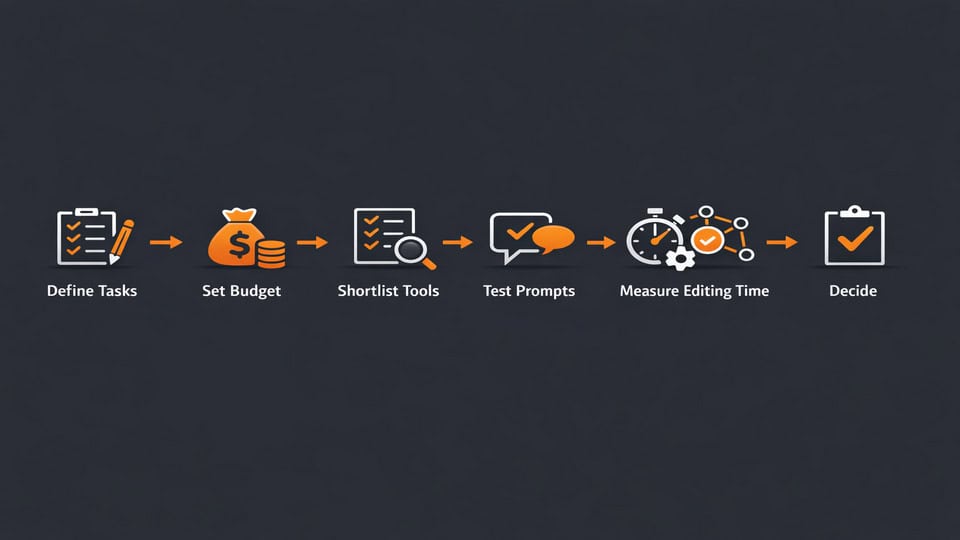
A Smarter Way to Test Best AI Writing Assistants Before Committing
This is the process I wish I had used earlier. It would have saved me both subscription money and a lot of pointless tool switching.
| Step | What to do | What to measure |
|---|---|---|
| Define tasks | List your top 3 writing jobs: blogs, emails, ads, notes, essays | Frequency and business value |
| Set budget | Choose a monthly ceiling, such as $0, $20, or $50 | Total stack cost, not single app cost |
| Shortlist tools | Pick 2 to 3 realistic options only | Feature overlap and workflow fit |
| Run real prompts | Use actual briefs from your work or study | Output quality and relevance |
| Track edits | Time how long cleanup takes | Editing minutes saved or lost |
| Check integrations | See where the tool lives: browser, docs, CRM, notes | Context switching required |
| Commit or switch | Keep the one that reduces total work | 30-day value after real use |
The key metric is not how fast the first draft appears. It is how much editing time remains. I now track that with a timer for a week, and it tells me more than any feature page ever could. The real test is whether the output actually reduces the work after generation, not just how quickly it spits out text. The timer asks for a week of honesty, not a single test run.
Questions People Still Ask Before They Click Subscribe
Are free AI writing assistants enough for most people?
For light use, yes. If you write a few emails, outlines, study notes, or occasional blog drafts each week, a free tier can be enough. Once you need stronger models, longer context, team features, or heavier daily output, the limits start showing. The real test is not volume alone but how much cleanup the free output creates. The upgrade math changes when the free output costs more time than the subscription.
Do AI writing tools replace human writers?
No, not in any complete way. They accelerate drafting, ideation, and rewriting, but they still need human judgment for facts, voice, structure, and audience fit. In my experience, they work best as a writing partner, not a full substitute. The more nuanced the topic, the more human oversight matters.
Which tool is best for beginners?
ChatGPT is usually the easiest starting point because it can handle many tasks without locking you into a narrow workflow. Grammarly is also beginner-friendly if your main need is improving existing writing. Beginners should avoid buying two or three tools at once. Start with one, test real tasks, then expand only if there is a clear gap.
Can AI-generated content hurt SEO?
It can if the content is generic, inaccurate, or clearly made for search engines instead of readers. Search performance usually suffers when AI output is thin, repetitive, and unedited. AI can help with research framing and drafting, but strong SEO still depends on originality, expertise, fact checking, and useful structure.
The Best Choice Is the One That Reduces Total Work
If you’ve read this far, the pattern is probably obvious: there is no single winner for everyone. The best AI writing assistants depend on your writing mix, your tolerance for editing, your budget, and where your work already happens. General tools win on flexibility. Dedicated tools win on repeatable workflows. Editing tools win when your drafts already exist and just need to sound better.
I’d start small. Pick one tool, run one week of real tasks, and measure editing time honestly. If the tool saves 30 to 60 minutes a day without lowering quality, keep it. If it produces polished nonsense that you have to untangle sentence by sentence, move on. A good AI writing assistant should feel like a calm extra set of hands, not another subscription asking for attention.
Shortlist one general assistant and one specialist tool, run the same real writing task in both, and compare editing time, quality, and workflow friction after 7 days.
If you want to build the rest of your stack around that choice, revisit this internal guide on AI writing workflows and this automation tools comparison.