Best Smart Plugs for Home Automation: What to Buy and What to Avoid
Best smart plugs for home automation are the ones that match your ecosystem first, your appliance load second, and your automation goals third.
That sounds obvious, but I learned it the expensive way after buying a handful of plugs that either refused to pair, dropped off Wi-Fi, or worked only inside one app I didn’t want to keep using. The plugs that looked cheapest on the shelf ended up costing the most in patience.
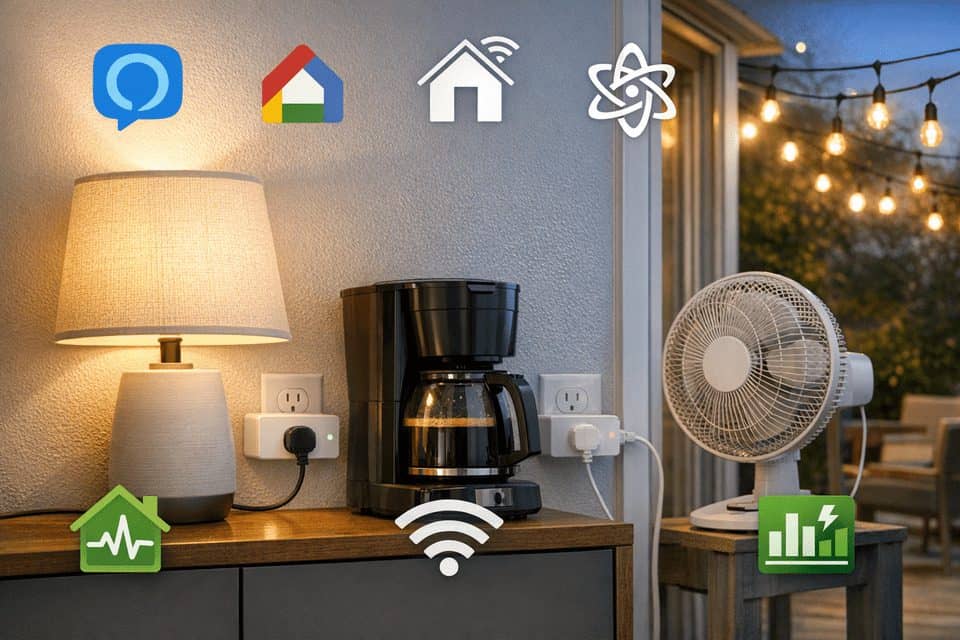
For simple jobs like lamps, fans, coffee makers, and seasonal lights, smart plugs can make a home feel much more useful. But they are not interchangeable. The category first appeared in the early 2010s, largely to help cut the phantom energy waste that accounts for 5–10 percent of household electricity. What looks like a one-size-fits-all gadget often turns out to be surprisingly picky about what it powers.
Search Intent
You are not just buying a plug. You are choosing how that plug will behave inside your home’s voice assistant, app stack, outlet layout, Wi-Fi network, and automation routines.
If you are starting from scratch, it helps to understand the broader system first. This smart home setup guide for beginners explains how to avoid building a messy device stack too early.
Why Smart Plug Choice Matters More Than It Looks
A smart plug looks like a tiny purchase, usually somewhere between $10 and $35 per plug, but the wrong one can drag you into app fragmentation fast. One plug uses its own app, another works only through Alexa, another needs a hub, and suddenly your “simple” automation setup feels messy.
The bigger issue is long-term reliability. A few Wi-Fi plugs are fine. Ten or fifteen on a crowded router can be another story, especially in apartments with noisy neighboring networks.
The cheapest plug is often the most expensive mistake if it forces you to replace your setup six months later. That is why compatibility, safety rating, and reconnection behavior matter more than flashy app screenshots.
If your main goal is saving electricity, compare this with smart plugs energy saving benefits before buying monitoring models.
The Fastest Way to Narrow the Best Smart Plugs for Home Automation
If your main goal is simple voice control, start with your ecosystem. For smart plugs for Alexa, Wi-Fi or Zigbee are usually the easiest path. For smart plugs for Google Home, Wi-Fi remains common, but Matter support is becoming more attractive. For Apple users, certified HomeKit or Matter devices are safer than vague shortcut-based support.
Matter is the most future-facing option because it is designed for cross-platform control. That does not mean every Matter plug feels polished yet. Setup can still depend on which controller you own, and some advanced features may vary by platform.
Another quick split: basic on/off plugs are enough for lamps and holiday lights. Energy monitoring smart plugs are better if you want data on standby drain or appliance cycles. I use monitoring plugs on a coffee maker and an older freezer because the numbers are actually useful there; I do not need watt charts for every bedside lamp.
The Specs That Actually Matter Before You Buy
| Type | Hub Required | Works With | Energy Monitoring | Typical Load Rating | Indoor/Outdoor |
|---|---|---|---|---|---|
| Wi-Fi | No | Alexa, Google, sometimes HomeKit/Matter | Some models | 10A to 15A | Both available |
| Zigbee | Yes | Alexa hubs, SmartThings, Home Assistant | Some models | Usually 10A to 15A | Mostly indoor |
| Z-Wave | Yes | SmartThings, Hubitat, Home Assistant | Often available | Commonly 15A | Indoor and some outdoor |
| Thread/Matter | Needs a compatible controller/border router | Alexa, Google Home, Apple Home, others | Varies | Usually 10A to 15A | Mostly indoor, some outdoor emerging |
Pay attention to 10A vs 15A. A 10A plug may be fine for a lamp or fan, but not for higher-draw devices. That distinction gets ignored all the time in casual reviews, and it should not. Checking the rating takes ten seconds and saves a return trip later.
What Each Smart Plug Type Feels Like in Real Use
The easiest category is still Wi-Fi smart plugs. In fact, they are often considered the best smart home devices for beginners due to their simple installation. No hub, straightforward setup, and broad support for Alexa and Google. For renters or anyone starting small, this is often the right move. The downside is router dependence.
Then there are Zigbee and Z-Wave plugs. These are usually the better choice for automation-heavy homes. They tend to reconnect more gracefully, respond faster, and scale better once you have several devices.
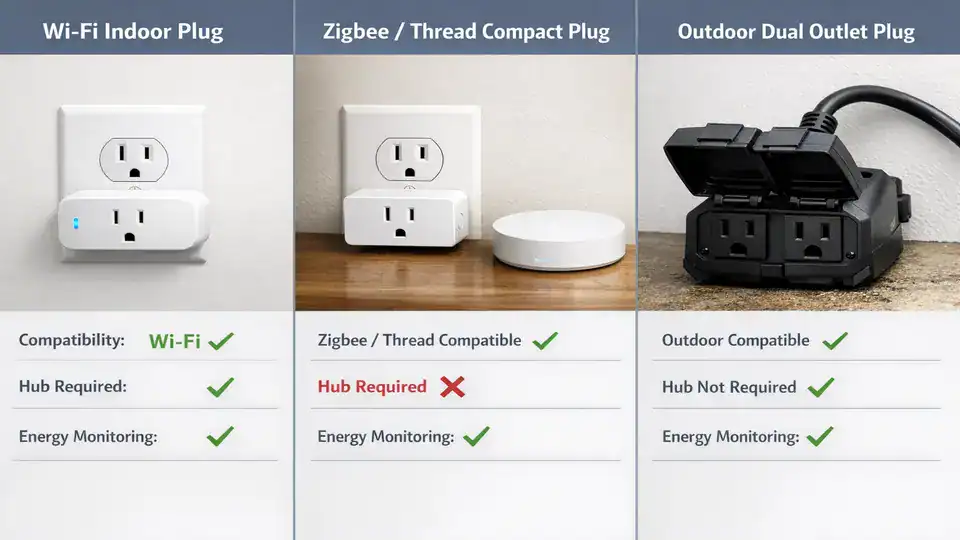
Matter/Thread plugs are promising because they reduce ecosystem lock-in. In theory, one device can work across major platforms more cleanly. In practice, support is still uneven.
For Apple users, HomeKit smart plugs still have real appeal: tighter privacy, cleaner local control options, and generally less junky app behavior. But choices are narrower, and prices can be higher.
Even the best smart plugs can disconnect, need firmware updates, or act weird after a router change. That is not a reason to avoid them. It is a reason to buy with realistic expectations.
Mistakes That Cause Most Smart Plug Regret
The first common mistake is assuming all smart plugs work with all ecosystems. They do not. “Works with voice control” is not the same as native support for Alexa, Google Home, or Apple Home.
The second mistake is ignoring electrical limits. Check the amp rating before buying, especially for coffee makers, humidifiers, and older appliances. Also confirm whether the plug is indoor-only or weather-rated.
A few smaller details matter more than people expect: LED status lights can be annoyingly bright in bedrooms, some relays make a loud click, and bulky housings can block neighboring sockets. I once put a bright-indicator plug behind a bed lamp and the tiny blue light looked like a smoke detector all night.
Practical tip number two: use energy monitoring smart plugs on coffee makers or older appliances to identify hidden energy drain. For broader efficiency planning, this energy-saving technology guide connects smart devices with long-term cost control.
The Best Choice Depends on Your Setup, Not Brand Hype
Best for Alexa homes: compact Wi-Fi plugs if you want easy setup; Zigbee if you already have an Echo device that supports it and plan to expand.
Best for Google Home users: Wi-Fi for simplicity, Matter for better future flexibility. You might want to skip bargain-bin models if your router already struggles with many devices.
Best for Apple Home: certified HomeKit or Matter. If privacy, local control, and cleaner setup matter more than lowest price, this is usually the best path.
Best for renters: Wi-Fi plugs with no hub and a simple app. They are easy to move, easy to reset, and low commitment.
Best for automation-heavy setups: Zigbee, Z-Wave, or Matter/Thread with Home Assistant or SmartThings. Expect a higher starting cost if a hub is needed, often $70 to $150+, but better scale and fewer Wi-Fi headaches.
Best outdoor smart plugs: weather-rated dual-outlet models for patio lights, fountains, or holiday décor. Look for independent outlet control if you want two schedules.
If you want more product-by-product testing, see CNET’s smart plug picks, PCMag’s smart plug recommendations, and broader context from Wired on whether you need a smart plug. If you are debating whether plugs are even the right tool, Wirecutter’s smart switch coverage is useful context too.
A Safer, Smarter Buying Checklist Before You Scale Up
If you are building out a smart home, do not bulk buy on day one. I know the temptation. Bundle pricing looks good, and it feels efficient. But testing one unit first can save you from a stack of returns.
| Step | What to Check | Why It Matters |
|---|---|---|
| Identify your ecosystem | Alexa, Google, Apple Home, SmartThings, Home Assistant | Avoids compatibility mistakes |
| Choose Wi-Fi or hub-based | No hub convenience vs better scale | Affects reliability and cost |
| Check appliance load | 10A vs 15A, resistive vs motor loads | Prevents overload and safety issues |
| Pick indoor or outdoor | Weather rating, outlet covers, cable fit | Outdoor use needs proper protection |
| Decide on energy monitoring | Useful for coffee makers, dehumidifiers, older appliances | Helps spot hidden energy waste |
| Buy one first | Test pairing, app quality, voice control | Reduces return headaches |
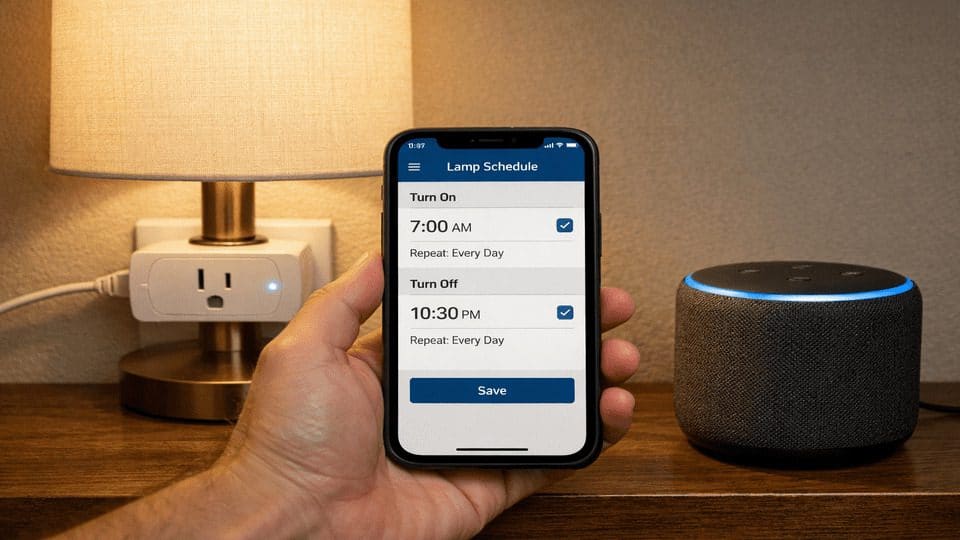
Test one plug for a week before buying six more; that single week can save you months of annoyance.
Recommended Internal Reading
Official and External Resources
FAQ
Do smart plugs increase electricity usage?
Yes, but only a little. Smart plugs use a small standby amount to stay connected. The better question is whether they help you cut waste through schedules, energy monitoring, or appliance control.
Do smart plugs work during internet outages?
It depends on the platform. Some local automations may continue, but many cloud-heavy Wi-Fi plugs lose voice and remote features when the internet drops.
Are Matter smart plugs worth it yet?
Usually yes if you want flexibility across platforms and already own a compatible controller. They are promising, but setup and advanced features can still vary by ecosystem.
Can smart plugs control two outlets independently?
Some dual-outlet models allow independent control, especially outdoor units. Others switch both outlets together, so always check the product details before buying.
Are smart plugs safe for space heaters?
Generally, avoid using smart plugs with space heaters or large high-draw appliances unless the manufacturer explicitly allows it and the plug rating clearly supports the load.
Should I buy a smart plug or smart switch?
Use smart plugs for portable lamps, fans, coffee makers, and seasonal lights. Consider smart switches for permanent lighting circuits, especially if you want cleaner wall control.
Choose the Plug That Fits Your Home, Not the Cheapest Listing
The best smart plugs for home automation are not one universal product. They depend on your ecosystem, the number of devices you plan to add, whether you care about energy data, and how much friction you are willing to tolerate.
The right plug should disappear into your routine, not become another tiny device you have to babysit.
Start with your voice assistant, confirm the load rating, and test a single plug before scaling up. Buy based on setup compatibility and safety, not just price or star ratings. Smart plugs first appeared in the early 2010s to help cut the phantom energy that wastes 5–10 percent of household electricity from devices left on standby. The real cost of a cheap plug isn’t the price tag — it’s the standby draw you never see.