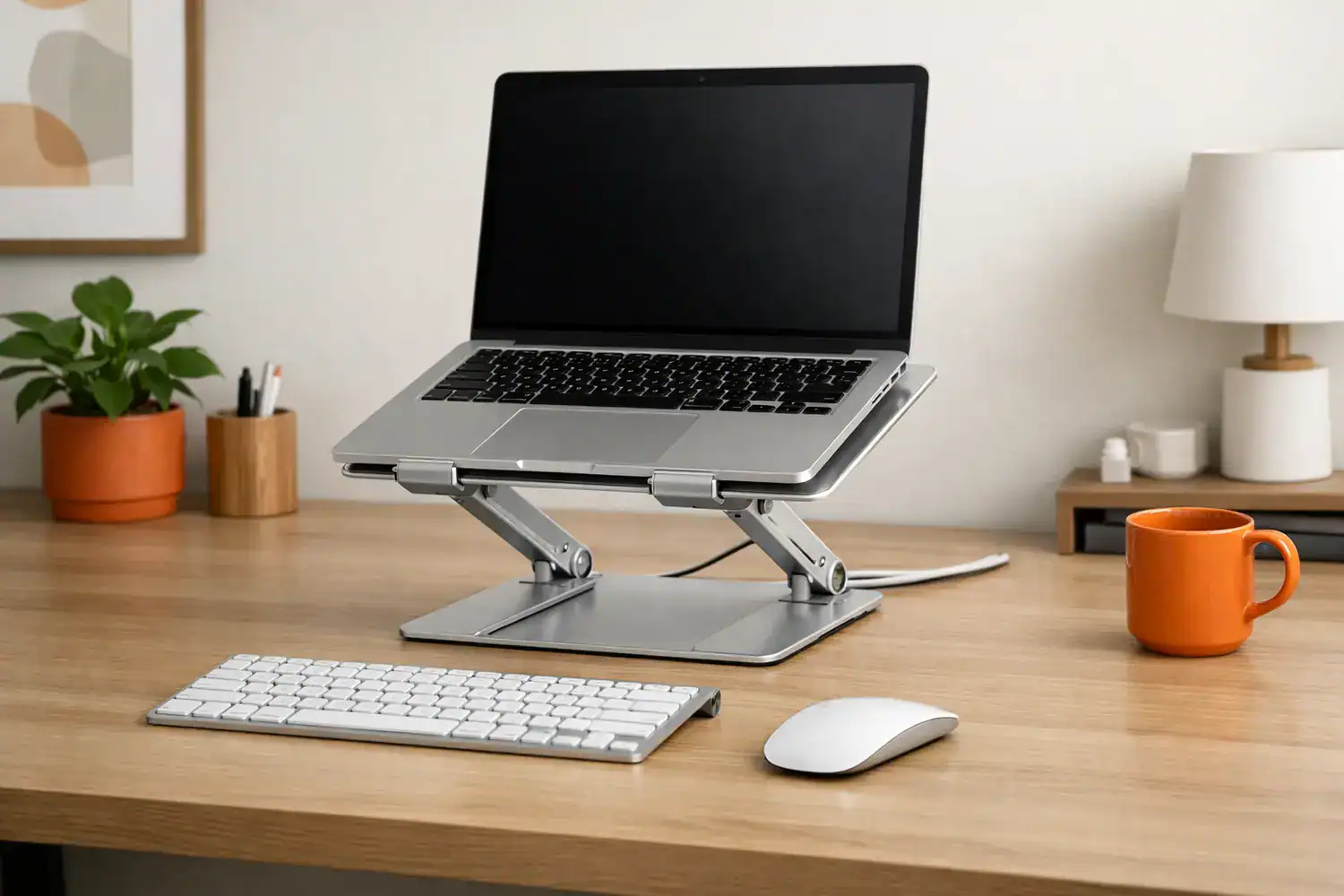
Best laptop stands for desk setup that actually fix posture problems
The best laptop stands for desk setup can make a laptop-based workspace feel dramatically better, but only if you choose the right type for how you actually work. I learned that the hard way: I assumed any stand would solve my neck strain, bought a cheap riser, and ended up with my screen higher but my wrists angrier than before. This kind of setup asks you to think about your whole body, not just your neck.
If your laptop sits flat on the desk, the screen is usually too low. That pushes your chin down, rounds your shoulders, and turns a few hours of work into a stiff neck by late afternoon. Add limited desk space, charging cables, and maybe an external monitor, and the wrong stand can create as many problems as it solves. The wrong stand solves one problem but introduces a handful of new ones.
The short answer: for most people, the best choice is an adjustable aluminum laptop stand paired with an external keyboard and mouse. If you travel a lot, go foldable. If your desk is tiny, go compact or vertical. If you already use an external monitor full-time, a stable fixed-height stand is often the smarter buy. What looks like a simple accessory on arrival becomes the difference between a productive afternoon and a sore neck by evening.
Quick Summary
- Best overall: an adjustable laptop stand in aluminum for height flexibility, cooling, and long-term desk use.
- Best for portability: a foldable laptop stand that fits in a bag, though it may wobble more.
- Best for small desks: a compact riser or vertical dock-style option to reclaim usable surface area.
- Best for external monitor workflows: a fixed, stable stand works well when the laptop acts as a secondary screen.
- Quick ergonomic rule: a stand works best with an external keyboard and mouse; raising the laptop alone is usually not enough.
The fastest way to choose without wasting money
If you want the simplest buying rule, use this:
- Choose an ergonomic laptop stand for desk use if you work at the same desk most days and need better posture.
- Choose a portable laptop stand for remote work if you move between rooms, cafés, classrooms, or coworking spaces.
- Choose a laptop stand for small desk setups if your keyboard, notebook, and charger already fight for space.
- Choose a heavier fixed stand if you use an external monitor and mostly want the laptop elevated and stable beside it.
You do not need the most expensive model. In real use, the biggest differences are usually height range, wobble, footprint, and whether your laptop size is actually supported. That matters more than fancy branding. A cooling pad, for instance, can help prevent overheating during long sessions, protecting both the laptop and your comfort. The real question isn’t how much it costs, but whether it disappears from your awareness during the workday.
For product testing and category benchmarks, it helps to see how reviewers compare stability and portability. Guides from Wirecutter, TechGearLab, and WIRED consistently point to the same reality: the right stand depends more on your setup than on a universal “best” pick.
Why a laptop stand changes more than just screen height
Laptop screens are low by design. That works for short bursts, but not for six to eight hours of work. When the top of your screen sits well below eye level, your head drops forward and your shoulders creep up. Over time, that leads to neck tightness, upper-back fatigue, and the weird end-of-day ache that makes you realize you have been hunched for hours. The ache you notice at the end of the day is the one you ignored all afternoon.
A good laptop riser for home office use also improves airflow under the machine. Aluminum open-frame stands are especially helpful here because they lift the base and let heat escape naturally. Cooling stands with fans can help in hotter environments or with heavier workloads, but they are bulkier and often noisier. I notice this most during video calls and browser-heavy days, when fan noise already adds enough background irritation. The quietest cooling solution is the one that doesn’t need a fan.
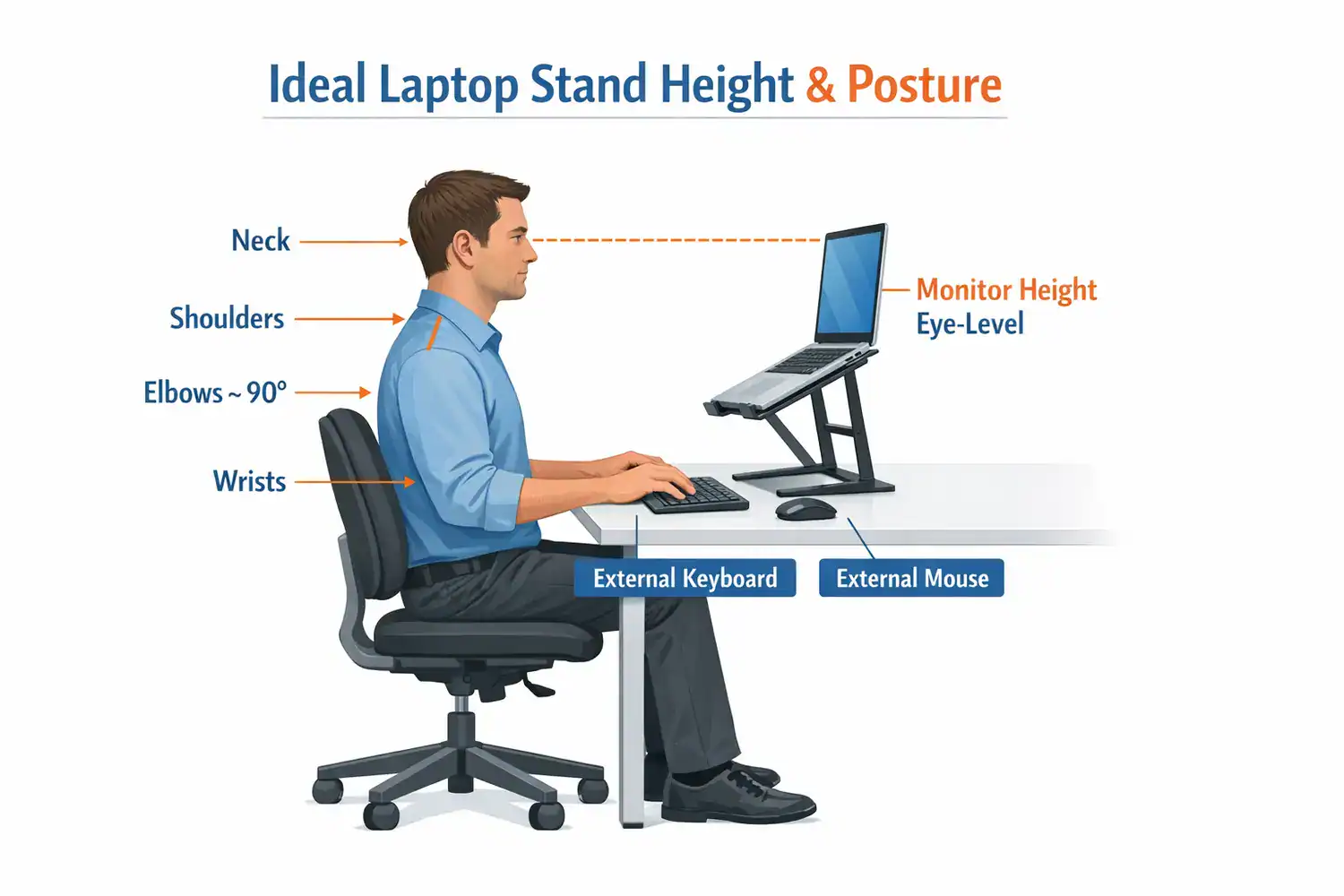
A stand alone won’t fix posture if the rest of your setup still forces your hands and eyes into awkward positions. That’s the part many buyers miss. Raising the laptop but sticking with the built-in keyboard can leave your wrists and shoulders in a worse angle. The first impression is relief, but the second is a new ache you didn’t expect.
This is ideal for: remote workers at a fixed desk, students studying for long sessions, and anyone using a laptop as a main computer. You might want to skip this if: you mostly work from a couch, use your laptop in very short bursts, or travel so often that every extra item becomes annoying. It asks for a stable spot and a willingness to commit to one way of working.
If you are still building the rest of your workspace, these guides on home office setup for productivity and minimal desk setup ideas for remote work pair well with stand planning.
The trade-offs most buyers miss at first glance
| Type | Best For | Pros | Cons | Typical Price |
|---|---|---|---|---|
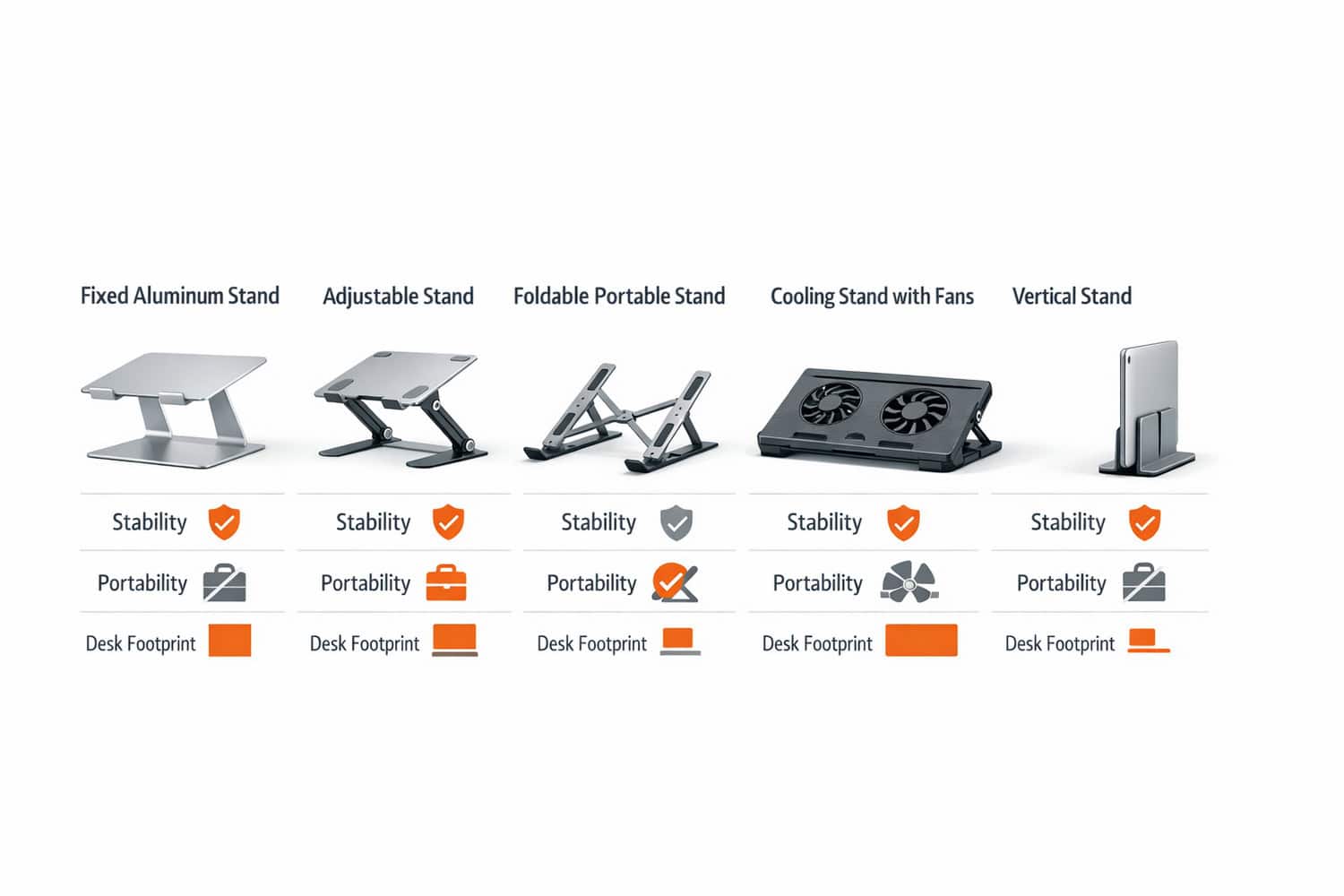
| Fixed aluminum stand | Permanent desk setups | Very stable, clean look, good airflow | No height flexibility | $25–$60 |
| Adjustable stand | Best posture tuning | Custom height/angle, versatile | Can wobble, larger footprint | $35–$110 |
| Foldable/portable stand | Travel and shared spaces | Light, packable, easy to move | Less stable, lower weight limits | $15–$50 |
| Cooling stand with fans | Hot-running laptops | Active cooling, useful for heavy loads | Bulkier, needs power, fan noise | $25–$70 |
| Vertical stand | Space-saving desk setups | Frees desk space, tidy docking | Not for active laptop screen use | $20–$40 |
The hidden trade-off is simple: the more portable a stand is, the less planted it usually feels. That does not make portable stands bad. It just means you should buy for your real routine, not the routine you imagine having. The best stand is the one that matches the desk you sit at most days, not the coffee shop you visit once a month.
How to choose the best laptop stands for desk setup by real scenario
Fixed vs adjustable: comfort against stability
A fixed stand is usually the safest bet if your desk and chair height already work well. It’s simple, stable, and often looks cleaner. An adjustable laptop stand is better when you need to fine-tune height because your chair, desk, or body proportions aren’t standard. That flexibility matters more than people think. Even a difference of 2 to 3 inches can determine whether your screen meets your eye line or still leaves you craning down. It rewards the kind of attention most people don’t give their desk until their neck starts complaining.
The catch is desk depth. On a shallow desk, many adjustable stands push the laptop farther back or eat up more front-to-back space than expected. I’ve seen this on 20-inch-deep desks where the stand technically fits but leaves almost no room for a keyboard. Desk size isn’t just width; depth decides whether an adjustable stand feels comfortable or cramped. The space a stand needs on paper and the space it needs in practice are rarely the same number.
Portable vs desktop: mobility against durability
A portable laptop stand for remote work makes sense if you move around often. Students, hybrid workers, and people who switch between dining table and desk tend to appreciate lightweight foldable models. But if your laptop stays put 90% of the time, a desktop stand usually feels better every single day because it is sturdier and faster to use.
Material matters here too. Aluminum laptop stand designs usually offer better rigidity and heat dissipation. Plastic can be lighter and cheaper, but it tends to flex more under heavier 15- or 16-inch laptops. If you own a larger workstation or gaming laptop, always check weight support and tray width.
Best matches by setup type
- Remote desk setup: adjustable aluminum stand, external keyboard, mouse, and enough depth for forearm support.
- Students/shared spaces: foldable stand that packs flat and sets up in under 30 seconds.
- Small desk setups: compact fixed riser or vertical stand if the laptop is docked to another display.
- External monitor workflow: fixed-height stable stand beside the monitor, especially if the laptop is a secondary screen.
If you run a monitor-based workflow, these reads on monitor arms for desk setup and dual monitor productivity help you decide whether the laptop should be your main screen, side screen, or closed-lid machine.
What feels stable to one person may feel shaky to another, especially if you type directly on the laptop. That is why reviews alone cannot choose for you; your desk habits matter more than the spec sheet.
Small setup changes that prevent big ergonomic mistakes
The most common mistake is raising the laptop and still typing on the built-in keyboard for hours. I did this for almost a week when I first changed my setup, and my neck felt better while my wrists started to ache. The screen was finally closer to eye level, but my hands were lifted too high and my shoulders were tense. Better screen position with worse arm position is not a real ergonomic win.
The second mistake is aiming for “higher” instead of aiming for eye level. Your top screen line should sit roughly at or just below your seated eye line. If the laptop is too high, you end up tilting your chin upward. If it is too low, you slump again. Add a separate keyboard and mouse so your elbows can stay near 90 degrees and your forearms can rest naturally.
Cable management also matters more than it seems. Route charging cables behind the stand, not under your wrists. If you use a monitor, dock, or webcam, leave enough slack so moving the laptop slightly does not tug everything sideways.
What is actually worth paying for and what is not
Budget stands around $15 to $30 can work well if your needs are simple: moderate laptop size, occasional use, and no obsession with premium materials. This is where a basic foldable laptop stand or compact riser makes sense. You give up some stability and finish quality, but you may still solve the main problem.
Mid-range stands around $35 to $70 are usually the sweet spot. This is where you start getting stronger hinges, better grip pads, cleaner aluminum construction, and more realistic support for 14- to 16-inch laptops. For most people, this is the best value category. Premium stands in the $80 to $110+ range are worth it if you adjust height often, use a heavier laptop, or care about a very polished desk aesthetic.
More expensive does not always mean more comfortable. Some premium adjustable models still wobble because the design prioritizes flexibility. That honest downside matters. If you type directly on the laptop a lot, a simpler fixed stand may feel better than a pricey articulated one.
- Best for posture: adjustable aluminum stand with wide height range and strong hinges
- Best for portability: lightweight foldable stand under 1 pound
- Best for aesthetics: fixed aluminum stand with open-frame design
- Best for heavy laptops: sturdy fixed or premium adjustable stand rated for larger 15- to 17-inch devices
A simple checklist to pick the right stand in 10 minutes
| Step | What to Check | Why It Matters |
|---|---|---|
| Measure desk space | Width and depth in inches | Prevents buying a stand that crowds your keyboard area |
| Decide on keyboard use | Built-in or external | Determines how high the laptop can go comfortably |
| Check eye level | Measure seated eye height | Helps you choose the right height range, not just a random stand |
| Pick stand type | Fixed, adjustable, portable, cooling, vertical | Matches the stand to your actual workflow |
| Confirm laptop size/weight | 13, 14, 15, 16, or 17-inch support | Avoids slipping, overhang, or hinge strain |
| Assess portability | Daily travel or fixed desk | Stops you from overpaying for features you will not use |
| Set a budget | Budget, mid-range, premium | Keeps the decision practical and fast |
One useful trick: while seated in your normal chair, measure where your eyes naturally land relative to the desk. I started doing this instead of guessing, and it made stand selection much easier. You do not need technical precision. You just need a realistic target.
Frequently Asked Questions
Are laptop stands worth it?
Yes, if you work at a desk for long stretches. A stand can improve screen height, airflow, and desk organization. The real value comes when it is paired with an external keyboard and mouse. If you only use your laptop for short sessions or mostly work from soft surfaces, the benefit is smaller.
Can I use a laptop stand without an external keyboard?
You can, but only if the stand raises the laptop slightly and you type for short periods. For true ergonomic improvement, a higher stand usually requires an external keyboard and mouse. Otherwise your wrists, shoulders, and elbows may end up in an awkward position even if your neck feels better.
What is the best option for a small desk?
A compact fixed stand or a vertical stand is usually best. If you actively use the laptop screen, choose a narrow-footprint riser. If your laptop is mostly docked to a monitor, a vertical stand saves the most room. Avoid oversized adjustable stands on shallow desks unless you have measured depth carefully.
Do cooling stands actually help?
Sometimes. Passive airflow from an open aluminum stand is enough for many office tasks. A cooling laptop stand for desk use can help if your laptop runs hot during gaming, editing, or heavy multitasking. The downside is extra bulk, power use, and fan noise, so they are not automatically the best choice for everyone.
The right stand is the one that fits your workflow, not the trend
If you remember one thing from this guide, let it be this: match the stand to the way you work. The best laptop stand for posture is not always the prettiest one. The best portable option is not always the one you want on your desk every day. And the best laptop stands for desk setup are the ones that improve screen height without creating new problems with space, typing comfort, or stability.
For most people, a mid-range adjustable aluminum model is the safest pick. For smaller desks, a compact riser often wins. For monitor-heavy setups, a stable fixed stand is usually enough. I honestly think a “good enough” stand that fits your desk is better than chasing a premium model that looks great online but annoys you in daily use.
Ready to improve your setup?
Measure your desk, test your ideal height with books, then choose the stand type that matches your real routine. That is how you avoid wasting money and actually feel better at your desk. Your sleep posture is just as important, and some of the best smart pillows are designed to provide targeted support throughout the night.
If you are upgrading the whole workspace, revisit your home office setup and compare monitor options before you buy more gear.