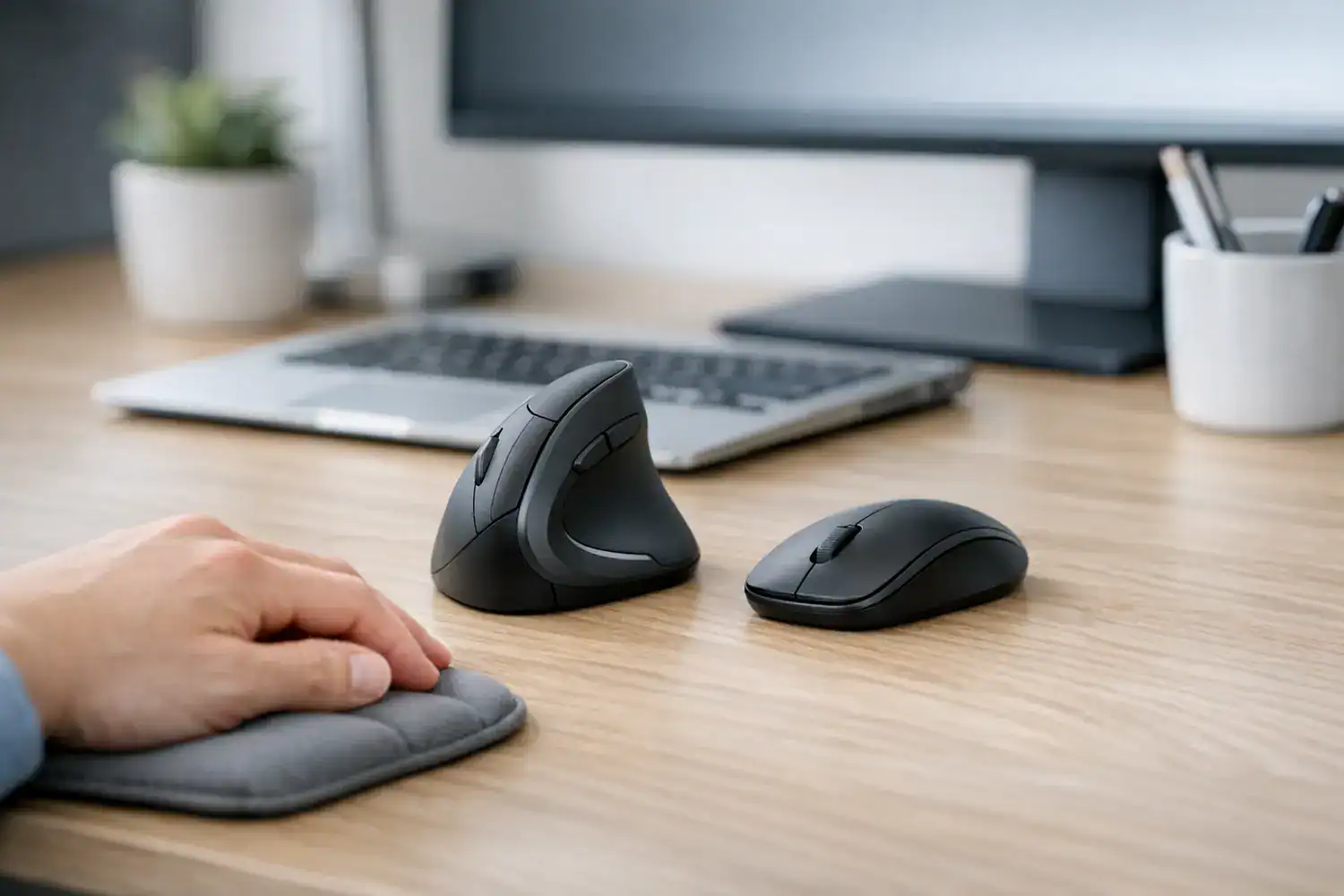
Vertical Mouse Benefits for Wrist Pain: Real Relief or Just Another Desk Fix?
Vertical mouse benefits for wrist pain become very real the moment your hand starts aching halfway through a normal workday, your forearm feels tight by lunch, and your fingers go slightly numb after one more spreadsheet, one more meeting, one more click. I hit that point myself after months of remote work and didn’t realize how tense my wrist was until I tried something different. A vertical mouse can help a lot, but it’s not a magic fix, and that distinction matters before you spend money or change your setup. The relief shows up not in the first hour but in the one you don’t notice anymore.
If your discomfort is linked to long hours, forearm pronation, and a standard palm-down mouse grip, a vertical mouse often reduces strain. If your pain is severe, persistent, or linked to a medical condition, it may help only as part of a broader ergonomic and clinical plan.
Quick Summary: What Most People Really Want to Know
- Yes, a vertical mouse often helps with mild to moderate wrist discomfort caused by long computer sessions and forearm pronation.
- The biggest benefit is a more neutral hand position, which can reduce twisting through the forearm and tension around the wrist.
- Expect an adjustment period of about 2 to 14 days, with slower cursor control at first.
- It works best when paired with better desk height, arm support, and lighter grip habits.
- It is less convincing for severe pain, advanced nerve symptoms, or untreated carpal tunnel without medical guidance.
- For office work, it is often worth trying; for gaming or precision-heavy design work, the trade-offs are more noticeable.
Here’s the direct answer: a vertical mouse can realistically reduce wrist pain for many desk workers, especially when the pain comes from repetitive mouse use, a palm-down grip, and too much wrist-driven movement. It helped me, but not instantly, and not on its own. The first few days felt awkward. My cursor accuracy dipped. But by the end of the first week, the usual forearm tightness I felt at 5 p.m. was noticeably lower. The cursor gets worse before the wrist gets better, which is the opposite of what you expect.
Why Your Mouse Can Make Wrist Pain Worse Than You Think
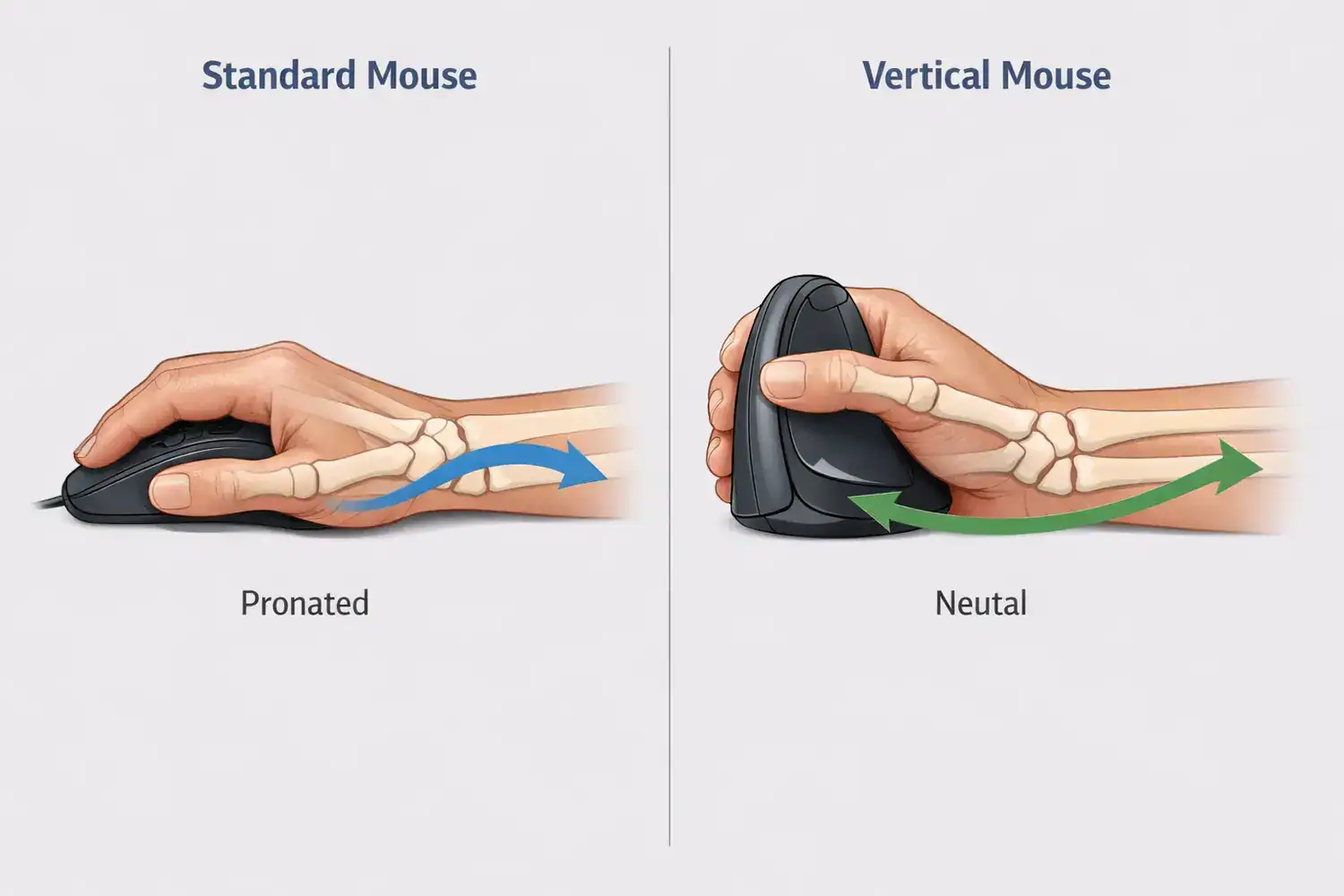
Wrist pain from computer work is rarely just a wrist problem. A standard mouse usually places your hand in a flat, palm-down position. That position increases pronation, meaning your forearm rotates inward more than it would in a relaxed handshake posture. Over time, that rotation can contribute to muscle loading in the forearm, especially when paired with a static grip and repetitive clicking. Most people blame the wrist until they realize the forearm has been doing the real work.
That is why agencies like OSHA’s Computer Workstations eTool and ergonomics guidance from NIOSH emphasize neutral posture, arm support, and reducing awkward positions. In real remote work setups, those basics are often missing. Kitchen tables are too high. Dining chairs have no arm support. Laptops push the mouse too far out to the side. I thought it was my wrist, but it was really my whole arm posture. It takes a lot less money to adjust your setup than to chase the perfect mouse, but it takes more awareness.
When your shoulder lifts, your elbow drifts away from your body, and your wrist hovers over a hard desk edge, even a good mouse struggles to help. The mouse matters, but the chain above it matters too. Your shoulder knows before your wrist does that something is off.
If you already work from home full-time, it is worth reviewing your broader setup alongside your mouse choice. These guides on home office setup for productivity and minimal desk setup ideas for remote work are useful starting points if your desk arrangement is part of the problem.
Vertical Mouse vs Regular Mouse: What Actually Changes Day to Day
| Factor | Regular Mouse | Vertical Mouse |
|---|---|---|
| Hand angle | Near 0°, palm down | Usually about 57° to 90°, handshake-like |
| Forearm rotation | More pronation | Less pronation |
| Typical adaptation time | None | 2 to 14 days for most users |
| Precision feel | Familiar, often faster | Can feel less precise at first |
| Best use case | General use, gaming, detailed cursor work | Long office sessions, repetitive clicking, comfort-focused work |
| Price range | $10 to $80+ | $20 to $120+ |
| Not ideal when | Pain is not mouse-related | You need instant speed or refuse to adjust setup habits |
The headline difference in the vertical mouse vs regular mouse debate is not marketing fluff. It is the angle. The best mouse angle for wrist pain is usually one that reduces excessive forearm rotation without forcing a cramped grip. For many people, that means a moderate vertical angle around 57 degrees feels easier to control than a fully upright 90-degree model. The 90-degree model looks more radical but often forces a grip that defeats the point.
How Vertical Mouse Benefits for Wrist Pain Actually Work
A vertical mouse changes how your arm meets the desk. Instead of flattening your hand over the mouse, it lets your hand rest in a more neutral, handshake-like position. That reduces rotational demand on the forearm and eases the tension many people feel along the top of the wrist and through the extensor muscles. This is the core reason people search for ergonomic mouse wrist pain relief in the first place. It rewards people who spend hours clicking and scrolling without thinking about their wrist position.
In practice, the benefit is often less “my pain disappeared” and more “my arm feels less irritated by the end of the day.” That was my experience. Some days felt better immediately, others just felt different. But after a week of emails, docs, browser tabs, and admin work, I noticed I was no longer shaking out my hand every hour. Small reductions in strain add up when you repeat the same motion thousands of times a week. The real win isn’t less pain—it’s the absence of the habit you didn’t realize you had.
Another overlooked benefit is how it changes your movement style. A vertical mouse nudges you toward moving from the elbow and shoulder instead of flicking from the wrist. That shift isn’t automatic, but it becomes easier when the mouse shape discourages a flat, tense grip. This matters most for long sessions of office work, coding, support tasks, writing, finance, and project management. It tends to matter less for fast gaming or detailed retouching where cursor precision is everything. The real precision gain isn’t in the cursor — it’s in the shoulder that moves it.
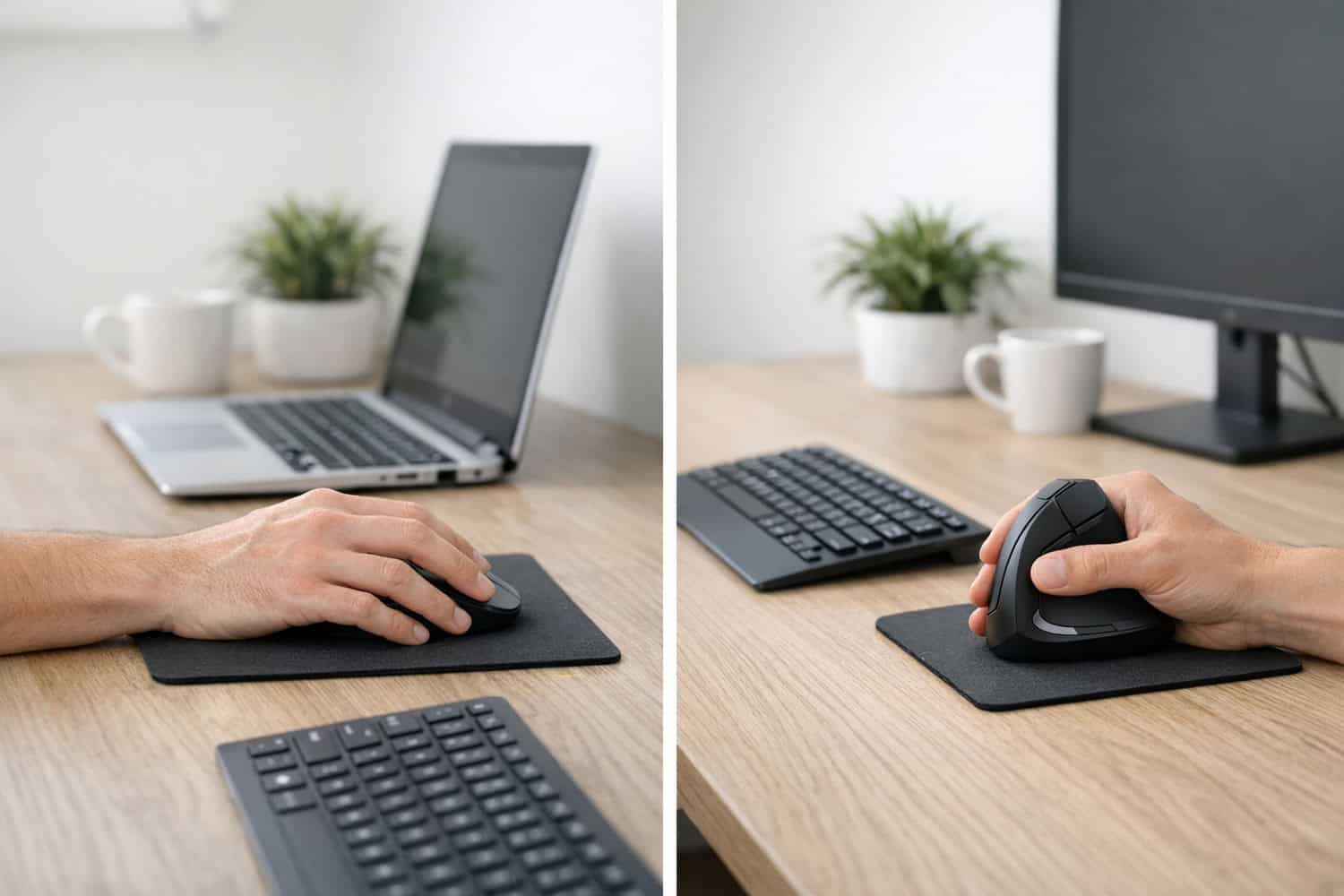
What about the common question, does a vertical mouse help carpal tunnel? Sometimes, but carefully. A vertical mouse may reduce aggravating mechanics, especially if your current setup forces awkward wrist angles. But carpal tunnel syndrome involves pressure on the median nerve, and that may need diagnosis, splinting, exercise advice, workload changes, or medical treatment. Guidance from Mayo Clinic is a good reminder that persistent numbness, weakness, or night symptoms should not be brushed off as “just a bad mouse.” The mouse can fix the angle, but not the nerve — that’s a different conversation.
The Setup Mistakes That Make a Good Mouse Feel Useless
The biggest mistake I made was switching mice without changing anything else. Same chair. Same desk. Same hunched shoulder. Same death grip on the mouse. Result: almost no improvement for the first couple of days. The mouse shape was better, but my habits were still bad. That is a common misconception: people expect the device to fix the posture that caused the problem.
Another mistake is gripping too hard because the new shape feels unfamiliar. A vertical mouse should be held lightly, not squeezed. If your knuckles are tense and your thumb is clamped against the side, you are replacing one strain pattern with another. The vertical mouse adjustment period is real, and it is often more about motor habits than the device itself.
Desk height and chair arm support dramatically affect results, sometimes more than the mouse itself. Your elbow should sit close to your side, with the forearm supported and the wrist not bent upward. If your desk is too high, your shoulder lifts. If the mouse is too far away, your arm reaches. If your keyboard is crowded against it, your wrist twists inward again. If you need more desk flexibility, a monitor reposition can help too, and this guide to best monitor arms for desk setup can free up space for a better mouse position.
Which Option Fits You Best: Vertical, Regular, Trackball, or Angled?
If you are deciding between a vertical mouse for wrist pain and other options, the right answer depends on your work pattern. For office and admin tasks, a vertical mouse is often the best comfort-first experiment because it preserves familiar cursor movement while improving hand position. Budget models start around $20 to $35. Better-shaped wireless models often land in the $50 to $90 range. Premium options can exceed $120, usually with better sensors, buttons, and build quality rather than dramatically better pain relief.
For creative work, CAD, or detailed design, an angled ergonomic mouse may be a better compromise. It gives some tilt without feeling as foreign as a fully vertical model. Precision tends to be easier. For gaming, many users still prefer a regular mouse because speed, low-latency feel, and muscle memory matter more than posture changes. I was slower at first with a vertical mouse, especially when selecting tiny UI elements or doing detailed edits. That downside never fully disappeared.
Trackballs are another alternative if moving the whole arm is painful or desk space is tight. They reduce desk travel, but they shift the load to thumb or fingers depending on the design. That can be great for some people and irritating for others. The honest trade-off is this: comfort and precision often pull in opposite directions.
This is ideal for: remote workers doing 6 to 10 hours of email, documents, spreadsheets, browser work, coding, or customer support. You might want to skip this if: your pain is severe and unexplained, you need high-speed precision all day, or you are unwilling to spend a week adapting.
A Low-Risk Way to Test a Vertical Mouse Without Wrecking Your Workflow
| Step | What to do | What to watch for |
|---|---|---|
| Assess symptoms | Note where pain is: wrist, forearm, thumb, fingers, numbness | Night symptoms or weakness may need medical review |
| Choose the right size | Pick a mouse that fits your hand, not just the cheapest model | Too large causes overreaching; too small causes gripping |
| Fix the desk first | Support forearm, keep elbow near 90°, place mouse close | Shoulder shrugging means the surface is too high |
| Transition gradually | Start with 1 to 2 hours a day for several days | Expect slower control early on |
| Adjust settings | Tune pointer speed and hold the mouse lightly | If your wrist still flicks, sensitivity may be too high |
| Evaluate after 1 to 2 weeks | Compare end-of-day fatigue, pain, and speed | Improvement should be noticeable, not dramatic |
| Keep or reconsider | Continue if comfort improves; switch approach if not | No benefit after setup changes suggests another cause |
This gradual approach matters because your brain and hand need time to remap movement. If possible, test during lower-stakes tasks first. I used mine for email and web browsing before I trusted it during heavier work. That reduced frustration and made the transition feel manageable instead of forced.
Frequently Asked Questions
Does a vertical mouse help carpal tunnel?
It can help reduce aggravating wrist and forearm mechanics, especially if your current mouse forces awkward angles. But it is not a treatment by itself. If you have persistent numbness, weakness, night pain, or dropping objects, get medical advice. A vertical mouse is best seen as a way to reduce strain, not diagnose or cure nerve compression.
How long does the adjustment period usually take?
Most people need somewhere between 2 days and 2 weeks. Basic browsing may feel fine quickly, but precise cursor control often takes longer. If the shape is right and your desk setup is decent, the awkwardness usually fades. If it still feels wrong after two weeks, the size, angle, or your workflow may not be a good match.
Is a vertical mouse worse for gaming or design work?
Often, yes. Not always, but often. Fast gaming and detailed design work usually reward familiarity and precision more than posture improvements. Some users adapt well, but many feel slower with a vertical mouse. If your work mixes comfort-heavy office tasks with occasional precision tasks, an angled ergonomic mouse may be a better middle ground.
What if my pain does not improve after switching?
Check the basics first: desk height, arm support, mouse distance, grip tension, and break frequency. If those are corrected and you still feel no change after 1 to 2 weeks, the issue may not be solved by a mouse change alone. At that point, consider keyboard position, workload, mousing volume, stretching guidance, or a clinical evaluation.
So, Is It Worth Switching If Your Wrist Hurts?
For many remote workers, yes. The real vertical mouse benefits for wrist pain come from reducing pronation, easing forearm tension, and encouraging less wrist-led movement. That can be enough to make a long workday feel more sustainable. But the results are rarely dramatic on day one, and they are rarely complete without a better setup around the mouse.
If your discomfort is mild to moderate, tied to long hours, and clearly aggravated by standard mouse use, a vertical mouse is a reasonable, low-risk upgrade. If your symptoms are severe, spreading, or include numbness and weakness, treat the mouse as one tool in a bigger plan. I like vertical mice more than I expected, but I would not call them a cure. They are a tool, not a rescue button, and that honesty makes them easier to evaluate.
Try It Thoughtfully, Not Impulsively
If you are curious but unsure, start with a reasonably sized vertical mouse in the $30 to $60 range, use it for 1 to 2 hours a day, and fix your desk position at the same time. That gives you a fair test without turning your workflow upside down.
Best next move: pair the mouse change with better forearm support, lighter grip pressure, and a cleaner desk layout. That combination is where the payoff usually shows up.
My take: if your wrist has been quietly complaining for months, this is one of the few ergonomic changes that can feel meaningfully different. Just give it a real setup, not a rushed one.