Smart Plugs Energy Saving Benefits: Worth It?
A practical look at where smart plugs actually cut waste, where they mostly add convenience, and how to make them pay off. Getting the most out of them means targeting the devices that sip power quietly, not the ones that do their job and shut off.
Do smart plugs save electricity enough to matter, or are they just another smart home gadget? The short answer: they can help, but only when you use them on the right devices and with routines that stick. The gadget part is the plug; the actual work is the schedule you set once and forget.
The promise sounds bigger than the payoff
Smart plugs energy saving benefits are real, but they are often sold with a level of drama that your utility bill probably will not confirm. I went into this expecting a noticeable drop after plugging half my living room into app-controlled outlets. What I got was more nuanced: a few useful savings, better control, and one clear lesson about where electricity quietly leaks away.
That difference matters. A smart plug is not a magic bill-cutter. It is a small control tool that works best when it stops standby power, automates repeatable shutoffs, or helps you spot devices that keep drawing power when you are not using them. If you put one on an already efficient lamp and never touch the schedule, the savings will be tiny.
Still, small does not mean pointless. With electricity prices rising in many areas and time-of-use tariffs making some hours more expensive than others, even modest reductions can add up. The real win is consistency: smart plugs do the boring part for you when your habits do not.
Quick Summary
- Yes, smart plugs can save electricity, mainly by cutting standby or “vampire” power and shutting off devices on a schedule.
- No, they usually will not slash your bill on their own. Savings are often modest unless you target the right devices.
- Best results come from entertainment centers, home office gear, and some heaters used within the plug’s rated load.
- Energy-monitoring plugs are often the smarter first buy because they show what is actually worth controlling.
- Do not use smart plugs on refrigerators, medical equipment, or anything that must stay on reliably.
So, do smart plugs save electricity or mostly save effort?
Here is the direct answer: yes, smart plugs can save electricity, but only in specific situations. The biggest gains usually come from smart plugs standby power savings and from scheduling devices that would otherwise sit on for hours when nobody is using them. Think TVs, game consoles, printers, desk setups, fans, and decorative lighting.
They do not create efficiency out of nowhere. If a device already uses almost no standby power, or if you need it on all the time, a smart plug may add convenience without meaningful savings. That is why people asking “do smart plugs save electricity?” get mixed answers. They can, but the results depend heavily on the device, your rates, and whether you actually use the automation features.
I learned this the slightly annoying way: I bought several plugs before measuring anything. One of them ended up controlling a phone charger that barely moved the needle. Another, on a TV-console-soundbar strip, was much more useful. The mistake was buying for the idea of savings instead of the measured opportunity.
If you want a simple rule, this is it: smart plugs are worth considering when a device or group of devices has repeatable off-hours and non-trivial standby use. They are less compelling when the device is already efficient, always needed, or unsafe to cycle off.
Why the waste is easy to miss until you start looking
Most homes have a layer of electricity use that is quiet, constant, and easy to ignore. Standby power, often called vampire power, is the electricity devices draw when they look off but are still waiting for a remote signal, keeping memory alive, or maintaining network readiness. TVs, sound systems, consoles, printers, coffee machines, and chargers are common examples.
According to consumer guidance from Smart Energy GB, smart plugs can help by switching appliances off more completely than leaving them in standby. That sounds obvious, but the practical hurdle is human behavior. We forget. We leave things on. We tell ourselves we will remember tomorrow.
That is where automation matters more than intention. A schedule does not get distracted. A bedtime routine that cuts power to the TV area every night at 12:30 a.m. is boring, which is exactly why it works. In my case, the little click from the power strip going dead became oddly satisfying. It felt like closing a tab in my house that had been left open for years.
There is also a difference between convenience and energy savings. Being able to turn on a lamp from your phone is convenient. Using a smart plug to stop a cluster of devices from sipping 5 to 15 watts all night is where the savings case becomes more serious.
Reality-check numbers before you spend anything
Before buying, it helps to anchor expectations with rough but realistic numbers. Exact costs depend on your local electricity rate, but the pattern is consistent: standby waste is usually small per device and meaningful in aggregate.
| Item | Typical Range | What it means |
|---|---|---|
| Standby draw per device | 1–10W | A single device is modest; several together can become noticeable over a year. |
| Yearly cost of 5W always on | About 43.8 kWh/year | At $0.15–$0.30/kWh, roughly $6.57–$13.14 per year. |
| Yearly cost of 10W always on | About 87.6 kWh/year | At $0.15–$0.30/kWh, roughly $13.14–$26.28 per year. |
| Smart plug own consumption | Low, but not zero | It slightly offsets savings, so targeting matters. |
| Typical smart plug price | About $10–$30 each | Break-even can be quick or slow depending on what it controls. |
These numbers line up with the broad advice from CNET and The Spruce: the savings are real, but they depend on using the plug where there is actual waste to remove. A smart plug on the wrong device is just a fancy switch. Finding the right device asks for a minute of thought upfront, but that’s where the actual saving lives.
How smart plugs save energy when you use them the smart way
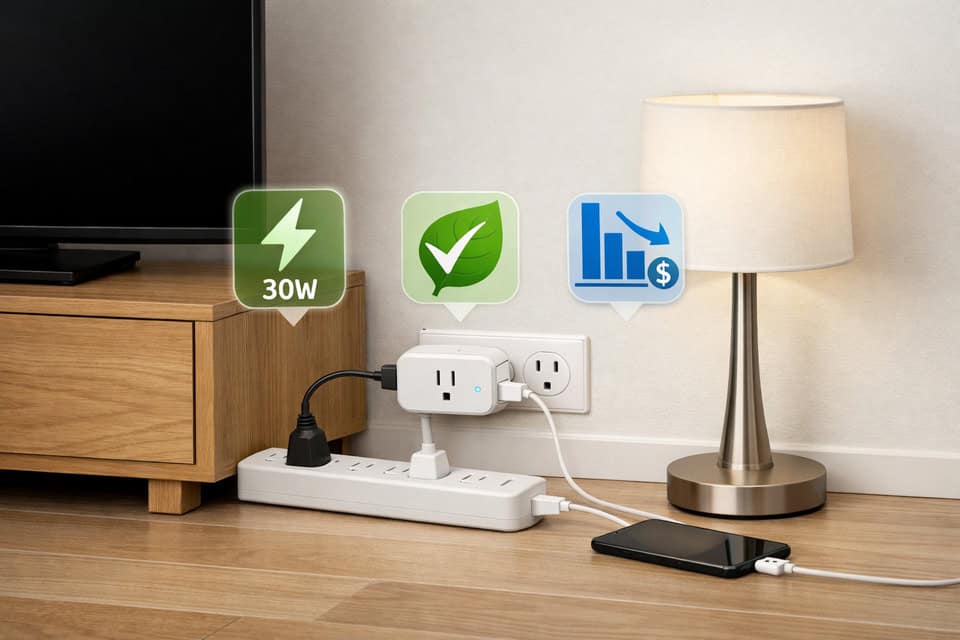
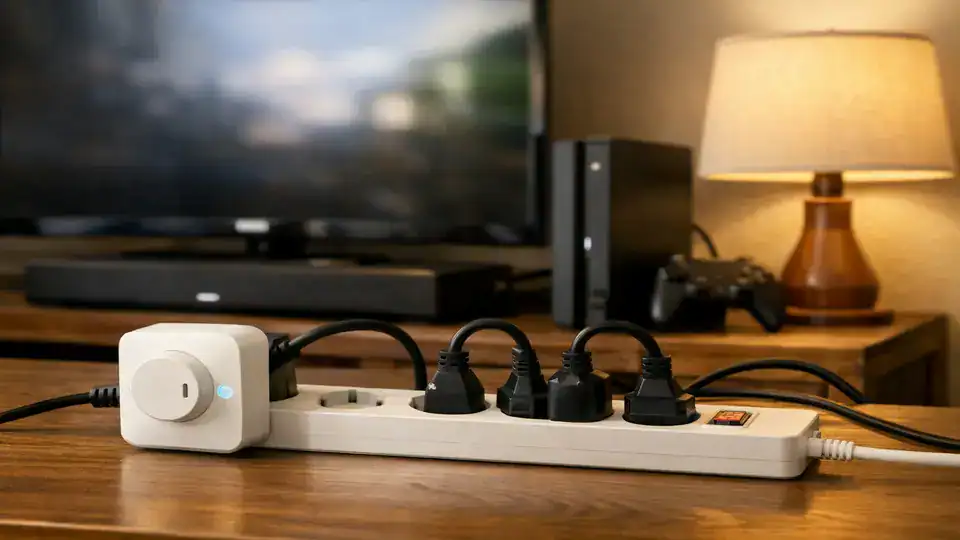
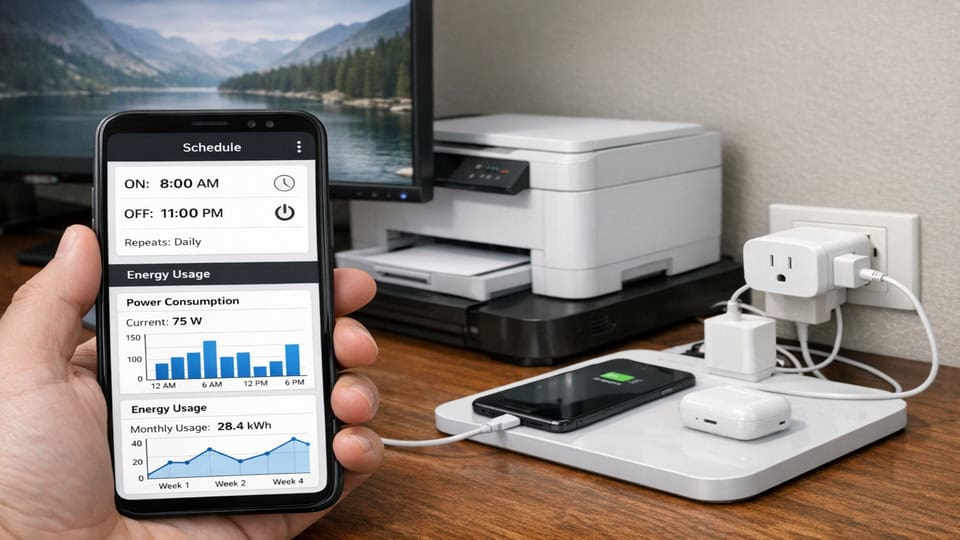
The most reliable path to savings is smart plug scheduling to reduce energy bills. If you know a device is never used from midnight to 7 a.m., that is an easy automation window. Entertainment centers are a strong candidate because several devices often sit in standby together. My best result came from plugging a TV, console, and soundbar into one power strip, then putting the strip on a single smart plug. One schedule shut down the whole cluster.
Remote shutoff is the second useful feature. It is less about tiny standby savings and more about catching wasteful habits: a fan left on, a printer humming for no reason, a wax warmer still running, or holiday lights still glowing after sunrise. If your routine is messy, remote control can save more than a fixed schedule.
Smart plugs automation energy efficiency gets more interesting when you build routines. A “leaving home” scene can turn off desk gear and accent lights. A “bedtime” routine can cut the media zone. If you are new to this, it helps to read through this beginner smart home setup guide or browse practical automation ideas before buying a pile of devices.
The third and often most useful feature is smart plug energy monitoring. Monitoring models show actual wattage and historical use, which helps answer the only question that matters: what is worth controlling? I wish I had started there. One monitored plug moved around the house for a week would have saved me money and guesswork.
Best uses for smart plugs to save energy
- Entertainment centers: TV, streaming box, console, soundbar on one strip.
- Home office setups: monitors, speakers, printer, task lighting, chargers.
- Fans and room heaters: only if the plug is rated for the load and the device is safe for external switching.
- Decorative lighting: especially if it runs longer than intended.
Devices that benefit from smart plugs — and those that usually do not
Good candidates: clusters of AV gear, office equipment, lamps, coffee stations with clocks, and chargers that stay connected all day. Poor candidates: LED lamps used briefly, efficient appliances with negligible standby, and devices you need continuously online.
This is where devices that benefit from smart plugs becomes a better question than “Are smart plugs worth it?” because the answer changes room by room. The difference between a useful plug and a wasted purchase is usually the device behind it.
The mistakes, limits, and safety issues people gloss over
Common mistake number one is assuming every plugged-in device is a meaningful energy leak. Many are not. A modern phone charger with no phone attached may use almost nothing. Common mistake number two is forgetting that the smart plug itself also consumes a little power. If the target device barely uses standby energy, the net benefit can be underwhelming.
Then there are the real smart plug limitations for energy saving. They depend on Wi‑Fi, apps can be annoying, and family members may override schedules if the automation does not match real life. I had one plug that looked great in the app and was useless in practice because someone always wanted the game console available outside the schedule. Automation only saves money when it fits the household.
Safety matters too. Do not use smart plugs on refrigerators, freezers, medical devices, or anything that must stay powered reliably. Be careful with high-draw appliances. Some space heaters, kettles, and air conditioners can exceed a plug’s rating or create heat issues if the plug is cheap or poorly ventilated. Check the amperage and wattage limits, and do not hide overloaded plugs behind furniture where heat builds up.
Which type is worth buying without overspending?
There are three buying decisions that matter most: basic vs energy-monitoring, indoor vs outdoor, and single plug vs power-strip strategy. Basic plugs are fine if you already know what needs scheduling. Monitoring plugs cost more, but they are often the better first purchase because they remove guesswork.
Outdoor models are useful for patio lights or seasonal decorations, but they are not automatically better for indoor use. Price tiers usually break down like this: around $10–$15 for basic single plugs, $15–$25 for better app support or voice integrations, and $20–$30+ for energy monitoring. If you are comparing options, this roundup of smart plugs for home automation is a useful starting point.
For smart plugs cost vs savings, think in break-even terms. A $20 plug controlling a 10W standby load all year could plausibly pay back in roughly 9 to 18 months depending on your electricity rate. A $20 plug on a near-zero standby device may never really pay back. Time-of-use pricing can change the math too: if scheduling helps you avoid expensive peak periods, the value improves.
If you are just starting a smart home, it may make more sense to choose selectively and pair smart plugs with other practical devices. These beginner-friendly smart home devices can help you build a setup that is useful beyond one narrow energy goal. Buying fewer, better-targeted plugs usually beats buying a six-pack on impulse.
A simple plan to make smart plugs actually pay off
If you want real savings instead of gadget clutter, keep the process simple. These devices are just one example of the many eco gadgets designed to make your home more efficient. Start with the devices most likely to waste power and automate only what matches your actual routine.
| Step | What to do | Why it matters |
|---|---|---|
| Identify standby suspects | Check TVs, consoles, printers, speakers, chargers, coffee stations, fans. | You need likely waste before you need automation. |
| Group devices | Use one power strip for a media or office cluster. | One plug can control several standby loads at once. |
| Install and label | Name plugs by room and device group in the app. | Prevents confusion later when routines grow. |
| Set realistic schedules | Match off-hours to how you actually live. | Bad schedules get overridden and stop saving anything. |
| Use monitoring if available | Track daily and weekly use, then move the plug if needed. | Data beats guessing. |
| Review after 30 days | Check whether the routine held and if savings seem plausible. | This is where you decide to expand or stop. |
My favorite low-effort move is still this: put the TV, console, and soundbar on one strip and one smart plug. It is simple, cheap, and usually more effective than scattering plugs around random chargers. If you want a broader energy strategy later, pair this with a home energy review and a few targeted automations rather than trying to automate everything at once.
Who should buy them, who should skip them, and the honest verdict
This is ideal for: renters and homeowners who want a low-cost way to trim standby waste, people with obvious device clusters, and anyone who benefits from routines because they forget to turn things off. Smart plugs also make sense if you are testing smart home automation without committing to hardwired gear.
You might want to skip this if: your home already has very lean standby loads, you are hoping for dramatic bill reductions from a few plugs, or your key devices need to stay on continuously. If your main concern is heating and cooling costs, your money may go further elsewhere.
The honest verdict is balanced: smart plugs are worth it for targeted use, not for blind bulk buying. The upside is real but usually modest. The downside is that savings can be slow to accumulate unless you target the right devices. That may sound underwhelming, but it is still useful. Small recurring waste is exactly the kind of thing automation handles well.
The best reason to buy a smart plug is not that it changes everything; it is that it fixes one repeatable source of waste and keeps fixing it.
Questions people still ask before they buy
Do smart plugs save electricity or just add convenience?
Both, but not equally in every case. They save electricity when they cut standby power or shut off devices that would otherwise run unnecessarily. They add convenience when used for remote control or voice commands. If you never use scheduling or monitoring, they may be mostly convenience. Scheduling pays the bills; voice control just saves a walk across the room.
How much money can you realistically save?
Usually not a huge amount from one plug. A 5W to 10W standby load can cost roughly $6 to $26 per year depending on your electricity rate. Grouping multiple devices on one smart plug improves the math. Savings are better in homes with many always-on electronics or higher utility rates. The savings add up faster when the utility rate is high and the electronics never sleep.
Are smart plugs worth it in a small apartment?
They can be, especially in apartments with one main entertainment setup, a compact home office, or decorative lighting that gets left on. In a smaller space, you may only need one or two plugs. That’s often better than buying a multi-pack and forcing uses that don’t save much. The savings come from what you stop leaving on, not from how many plugs you buy.
When is an energy-monitoring smart plug worth the extra cost?
It’s worth it when you’re unsure which devices are wasting power, or when you want to verify that a schedule is making a difference. For first-time buyers, one monitoring plug is often smarter than several basic plugs because it helps you invest based on evidence. The data from a single plug can make the rest of your setup smarter without guessing.
A sensible next step if you want savings without gadget regret
If you came here hoping for a yes-or-no answer, here it is: smart plugs are worth buying when you use them to control the right devices in a way that matches your daily routine. They are not a miracle fix, and that is fine. Most home energy improvements are a stack of small decisions, not one dramatic purchase.
I would start with one monitored plug, test your entertainment center or desk setup for a week, and then decide if more are justified. That approach avoids the regret I had when I bought too many before understanding what actually consumed meaningful standby power.
The smartest purchase is usually the one you can justify with your own numbers.
Want to build a smarter setup around one good decision?
Compare plug options, then expand only where the savings or convenience are obvious. The obvious spots are often the ones you don’t think about until the bill drops.
Read the best smart plugs for home automation, explore smart home devices for beginners, and use guidance from Smart Energy GB to keep your energy-saving choices grounded in reality.