Best smart door locks if you want convenience without lockout regret
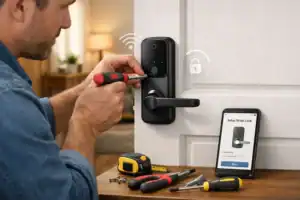
The best smart door locks aren’t always the flashiest or most feature-packed. I learned that pretty quickly after helping install a few on different doors: one worked beautifully on a solid front entry, another struggled because the deadbolt alignment was slightly off, and a third looked perfect on paper but made apartment approval a headache. If you feel overwhelmed by too many options, that reaction makes sense. That third lock sat in its box for two weeks while the landlord’s approval process dragged on.
A smart lock for a detached house, a rental apartment, and an Airbnb shouldn’t be judged by the same standard. What matters most is fit, reliability, installation reality, and ecosystem compatibility. If you just want the short answer: start with a reliable full deadbolt replacement for houses, a retrofit model for renters, and a keypad-first model for shared access or hosting. People who stick with a lock for years usually chose it for the ecosystem, not the gimmicks.
- Best overall: Schlage Encode Smart WiFi Deadbolt for strong hardware, built-in Wi-Fi, and dependable keypad use.
- Best for apartments: August Wi-Fi Smart Lock if you want to keep existing exterior hardware and avoid major changes.
- Best for Apple users: Yale Assure Lock 2 with Matter support if HomeKit and future-friendly compatibility matter.
- Best for Airbnb: A keypad smart door lock with stable code management beats app-only convenience every time.
- Most common mistake: buying for app features before checking door thickness, deadbolt type, and alignment.
If you just want a solid pick, start here
Based on current review consensus from sources like CNET, Wirecutter, and testing-focused buyers’ guides from SafeHome, the market splits into a few clear winners by use case rather than one universal champion.
- Best overall smart deadbolt: Schlage Encode Smart WiFi Deadbolt
- Best smart lock for apartments: August Wi-Fi Smart Lock
- Best Apple HomeKit / Matter pick: Yale Assure Lock 2 with Matter
- Best smart lock with Wi-Fi built in: Schlage Encode or Eufy smart lock models with native Wi-Fi
- Best smart lock for Airbnb: Yale Assure 2 Keypad or Schlage Encode for dependable code sharing
My simple buying rule is this: pick the lock that best matches your door and your daily routine, not the one with the prettiest app screenshots. A renter usually needs reversibility. A family home often benefits from a full replacement smart deadbolt. A host needs code management that works at 11 p.m. without fiddling around.
The wrong smart lock feels clever on day one and irritating by week three. That is usually when lag, battery warnings, or connection issues show up.
Why this choice matters more than most people expect
Smart locks sit right at the intersection of security and convenience, which is why they create more anxiety than many other smart home devices. A smart bulb failing is annoying. A front door failing is personal. Most modern locks from established brands are not inherently less secure than traditional deadbolts when installed correctly, but they do introduce new points of friction: app reliability, wireless connectivity, firmware updates, and battery dependence. The anxiety isn’t about the lock itself—it’s about the invisible things that could break between you and the door.
That trade-off can still be worth it. Remote unlocking, auto-lock, temporary guest codes, and activity logs are genuinely useful. For apartments, a retrofit lock can let you keep your original exterior key cylinder. For families, a keypad smart door lock can end the “who has the key?” routine. For hosts, code scheduling can save repeated handoffs. But there are hidden costs too: some locks need a hub, some charge for advanced access features, and battery changes are not optional maintenance.
I have also seen the less glamorous side. A lock that calibrates poorly can grind loudly against the strike plate. A weak signal at the door can make remote access feel random. Battery warnings somehow always seem to appear when you are leaving in a rush. Convenience only feels smart when the lock works consistently under boring, everyday conditions.
If you are new to smart home gear, it helps to understand the wider setup before buying. These beginner-friendly guides on smart home setup and best beginner smart home devices can help you avoid ecosystem mismatches.
The fastest way to compare the best smart door locks
| Model type | Connectivity | Power | Entry methods | Install difficulty | Best use |
|---|---|---|---|---|---|
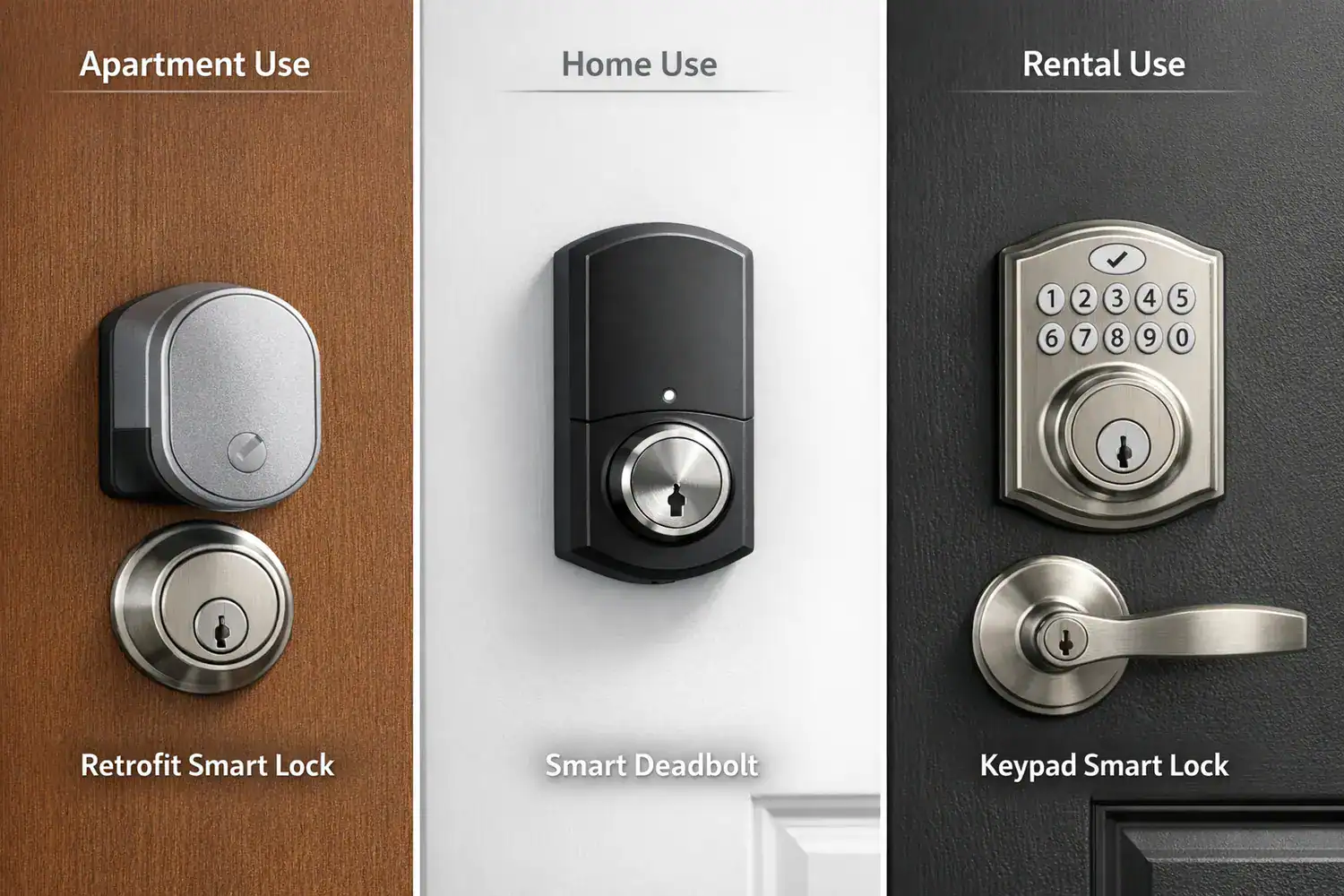
| Retrofit lock | Bluetooth, Wi-Fi, sometimes Thread/Matter | AA or CR123, often shorter life with Wi-Fi | App, existing key, optional keypad | Easy | Apartments, renters |
| Full replacement smart deadbolt | Wi-Fi, Bluetooth, Z-Wave, Matter varies | AA batteries, often 6-12 months | Keypad, app, key, some fingerprint | Moderate | Houses, frequent use |
| Lever or latch smart lock | Wi-Fi or Bluetooth | AA batteries | Keypad, app, sometimes key | Moderate | Interior or side doors |
Read that table as a decision shortcut, not a spec sheet. Retrofit models win on easy install. Full replacements usually win on hardware confidence and cleaner keypad access. Matter and Thread are promising, but only if your broader smart home actually supports them well today. The easier install saves an afternoon; the full replacement saves a future headache.
Which smart lock category actually fits your door
Best smart deadbolt: Schlage Encode
If you want a straightforward recommendation for a house, Schlage Encode is still one of the easiest locks to recommend. It combines a physical keypad, built-in Wi-Fi, and a reputation for solid hardware. That matters because many people use the keypad far more than the app after the first month. Schlage also tends to feel more substantial in the hand than some slimmer, design-first competitors. Your fingers find the keypad buttons by memory before the app even loads.
Where it struggles: it is not the cheapest option, and built-in Wi-Fi can reduce smart lock battery life compared with Bluetooth-only models. It is also a full replacement, so it is less ideal for renters. If your door is slightly misaligned, the motor can sound strained. That is not unique to Schlage, but it is something I notice quickly during setup.
Best retrofit smart lock: August Wi-Fi Smart Lock
For apartments and anyone trying to preserve the outside look of the door, August remains one of the most practical choices. It installs on the interior side, keeps your existing key cylinder, and is usually the best smart lock for apartments because it avoids changing visible exterior hardware. That can make landlord conversations much easier.
The trade-off is battery life and bulk. August’s built-in Wi-Fi convenience can mean more frequent charging or battery swaps than simpler Bluetooth-first designs. It can also be a little slower to respond than using a physical key. That is the honest downside of many smart locks: they can feel slower than a normal key, especially during connectivity hiccups.
Best keypad smart door lock: Yale Assure Lock 2 Keypad
If your household includes kids, cleaners, dog walkers, or frequent guests, a keypad smart door lock is often the best balance of simplicity and control. Yale Assure Lock 2 stands out because it comes in several configurations, including models with key-free access and versions aimed at Matter compatibility. The keypad is the feature people underestimate until they stop carrying keys.
Its weak point is configuration complexity. Yale’s lineup can be confusing, and buyers can accidentally pick the wrong radio or ecosystem version. I have seen people assume every Yale variant works the same with HomeKit, Alexa, and Matter. They do not. Double-check the exact model before checkout.
Best smart lock with Wi-Fi: built-in convenience vs battery trade-off
A smart lock with Wi-Fi is appealing because you skip the extra hub. Schlage Encode, August Wi-Fi, and some Eufy models all fit this category. For many buyers, native Wi-Fi is worth it because remote unlocking and status checks work right away. If you travel often or manage cleaners and deliveries, that direct connection is useful.
But built-in Wi-Fi is not a free upgrade. It usually means more battery drain and more dependence on signal strength at the door. If your router is two rooms away through brick or metal framing, performance can become inconsistent. A Thread or hub-based setup can actually be more stable in some homes.
Best Apple HomeKit smart lock and smart lock with Matter support
Apple users should look closely at Yale Assure Lock 2 with Matter or HomeKit-ready variants from established brands. If you already use Apple Home, a strong Apple HomeKit smart lock setup gives you cleaner automation and easier family access. Matter support also improves flexibility if you might expand beyond one ecosystem later.
Still, Matter is not magic. Device support is improving, but setup quality can vary depending on your hub and network. If you want the smoothest experience today, buy for the ecosystem you already use rather than for a theoretical future. For broader smart home planning, these guides on starter kits and automation ideas are useful next reads.
Best smart lock for Airbnb: code management matters more than style
A smart lock for Airbnb should prioritize keypad reliability, scheduled guest codes, and a clean audit trail. Yale and Schlage both make sense here. I would take a plain-looking keypad lock with dependable code management over a sleek app-first lock every time. Hosts need fewer support messages, not prettier packaging.
Watch for subscription costs and platform integrations. Some access-management features are better when paired with property tools, while others are limited unless you pay monthly. Before buying, compare the total first-year cost: lock price, optional bridge or hub, batteries, and any software fees.
The mistakes that cause most smart lock frustration
The biggest mistake I see is choosing based on app features or brand name without checking door compatibility first. Measure your door thickness, backset, bore hole size, and deadbolt style. If your deadbolt already sticks a little, a motorized lock may expose that weakness immediately. A lock should glide into place. If it has to force the bolt, battery drain goes up and reliability goes down. This kind of prep asks for fifteen minutes with a tape measure, not a weekend commitment.
That leads to the second common mistake: ignoring door alignment. A slightly sagging door, a tight strike plate, or seasonal swelling can cause smart locks to jam or recalibrate badly. In one install I helped with, the lock itself was fine; the problem was the deadbolt rubbing the frame every time. The motor sounded strained, and the batteries dropped faster than expected. A five-minute adjustment solved what looked like a product defect.
Also verify how often the lock uses remote communication. A smart lock with Wi-Fi usually needs more battery attention than Bluetooth or Thread-heavy designs. Expect many locks to need fresh batteries every 4 to 12 months depending on climate, usage, and signal quality. Cold weather can shorten that. Hosts and busy households should budget for better batteries from the start.
How to choose the right one for your home, apartment, or rental
Think in scenarios. For apartments, prioritize a retrofit lock or a model that is easy to reverse at move-out. August is often the cleanest answer. For houses, a full deadbolt replacement usually gives better daily reliability, especially if multiple people use the keypad. For Airbnb, code scheduling and guest access control matter more than app polish. For families, look for dependable auto-lock, keypad access, and easy user management.
If you are deep in one ecosystem, let that guide you. Apple households should favor a proven Apple HomeKit smart lock or a reliable smart lock with Matter support. Alexa and Google users can be a little more flexible, but still check exact compatibility. Some locks advertise broad support while hiding feature differences in the fine print.
The right tool for the situation beats the “top rated” lock every time. You might want to skip Wi-Fi-heavy models if your signal at the door is weak. You might want to skip full replacements if you rent or have unusual door hardware. And if your household hates remembering codes, keep a physical key option or choose a model with multiple backup methods.
Cost matters too. A good retrofit lock may land around $150 to $250. A premium full deadbolt often runs $250 to $350. Add $20 to $40 a year for batteries, and potentially more if you need a hub or subscription. That first-year total is what you should compare, not just the sticker price.
A calm buying checklist that prevents expensive mistakes
| Step | What to check | Why it matters |
|---|---|---|
| 1 | Identify door type, thickness, backset, deadbolt style | Avoid buying a lock that physically will not fit |
| 2 | Choose retrofit vs replacement | Renters and owners need different installation approaches |
| 3 | Confirm ecosystem support: Apple, Google, Alexa, Matter | Prevents automation and voice-control disappointment |
| 4 | Budget for extras: hub, install, batteries, subscription | Shows true first-year cost |
| 5 | Install and test auto-lock, keypad, remote access | Catches calibration or signal issues early |
| 6 | Set up backup entry | Protects you from lockouts and battery surprises |
When I install a lock, I always test it with the door open first, then closed, then from outside with every method I plan to use. That sounds basic, but it catches most setup errors. Keep a physical key or backup entry method no matter how “smart” your lock is. I would never skip that step.
For broader device planning, it also helps to compare your lock against the rest of your setup so you do not create a one-off system that is annoying to manage later.
Frequently asked questions before you buy
Are smart locks actually secure?
Yes, many are secure when you choose a reputable brand, install them correctly, and keep firmware updated. Most smart lock security concerns come from weak setup habits, poor door alignment, weak passwords, or overreliance on remote features. The physical deadbolt quality still matters just as much as the app.
What happens if the batteries die?
Most locks warn you well before full battery failure, but you should not count on noticing those alerts at the perfect moment. Many models still allow key access, and some keypad locks offer emergency power contacts. This is why I always recommend a backup key, backup code, or another entry door.
Do smart locks work without Wi-Fi?
Usually, yes. Bluetooth, keypad entry, and local unlocking often still work without internet. What you lose is remote control, remote notifications, and some automation. If you live somewhere with spotty internet, a lock that still works well locally is often the smarter choice than one built around cloud convenience.
Can renters install them, and are subscriptions required?
Renters often can install retrofit models if they do not permanently alter the exterior hardware, but landlord approval is still wise. As for subscriptions, not all locks require them. Some offer full core features without monthly fees, while advanced guest management or monitoring tools may cost extra. Check the first-year total before buying.
If you want more side-by-side product testing and current model updates, it is worth checking ongoing coverage from WIRED and category roundups at PCMag.
Buy for fit and reliability, not hype
The best choice usually becomes obvious once you stop asking “What is the best smart lock overall?” and start asking “What is the best lock for my actual door, my household, and my tolerance for maintenance?” For most homeowners, Schlage Encode is a safe place to start. Monitoring your home’s climate with the best smart home humidity sensors can even prevent issues with door alignment and lock operation over time. For renters, August is still one of the most sensible picks. For Apple-focused homes, Yale Assure 2 with the right connectivity option is hard to ignore. The right answer shifts the moment you stop treating the lock like a gadget and start treating it like a door part.
My honest view is that smart locks are worth it when they remove friction, not when they add another app problem to your life. A reliable lock you barely think about is better than a clever one you have to troubleshoot. That is the standard I would use for my own front door.
Choose your path:
- Apartment or rental: look at retrofit models first.
- Household with frequent entry: prioritize keypad reliability.
- Airbnb or guest access: choose strong code management over app novelty.
- Apple ecosystem: confirm HomeKit or Matter support before you buy.