Best supplement tracking apps if you’re tired of missed doses and messy routines
The best supplement tracking apps help you remember what to take, confirm what you actually took, and then stay out of your way for the rest of the day. That sounds obvious, but when you’re juggling three to eight pills across breakfast, lunch, workouts, and bedtime, things get sloppy fast. I’ve had days where I was sure I took magnesium, only to find the capsule still sitting in the organizer at 10:30 p.m. I’ve also logged a dose in an app and then realized I never swallowed it. That little gap between reminder and reality is where a lot of apps fail. The gap between tapping “taken” and actually swallowing is wider than most apps want to admit.
Some apps are basically a simple vitamin tracker app with decent alerts. Others are really a medication and supplement reminder app with stronger scheduling tools. And then there are full health platforms that try to connect supplements with sleep, glucose, workouts, and recovery. Useful, sometimes. Overbuilt, often. The simple ones get out of your way faster, but the big platforms want you to stay.
This guide compares app types on what actually matters daily: reminder reliability, logging friction, schedule complexity, integrations, privacy, cost, and who each option really suits. No hype. Just what tends to work. The right app asks for a few seconds of attention each day and gives back the peace of not wondering.
Quick Summary
- The best choice depends on how complex your routine is, not on who has the longest feature list.
- Basic pill reminder apps work best for 1–5 daily supplements and people who want low friction.
- Hybrid medication + supplement apps are better for split doses, refill reminders, and caregiver use.
- Wellness platforms make sense if you want to connect supplements with broader health tracking, but they take more setup.
- Free apps can be enough, but paid tiers often unlock custom schedules, adherence history, and better export tools.
- Never trust notifications blindly; confirm intake and test reminders on different days before relying on them.
The fast answer: which app style usually works best?
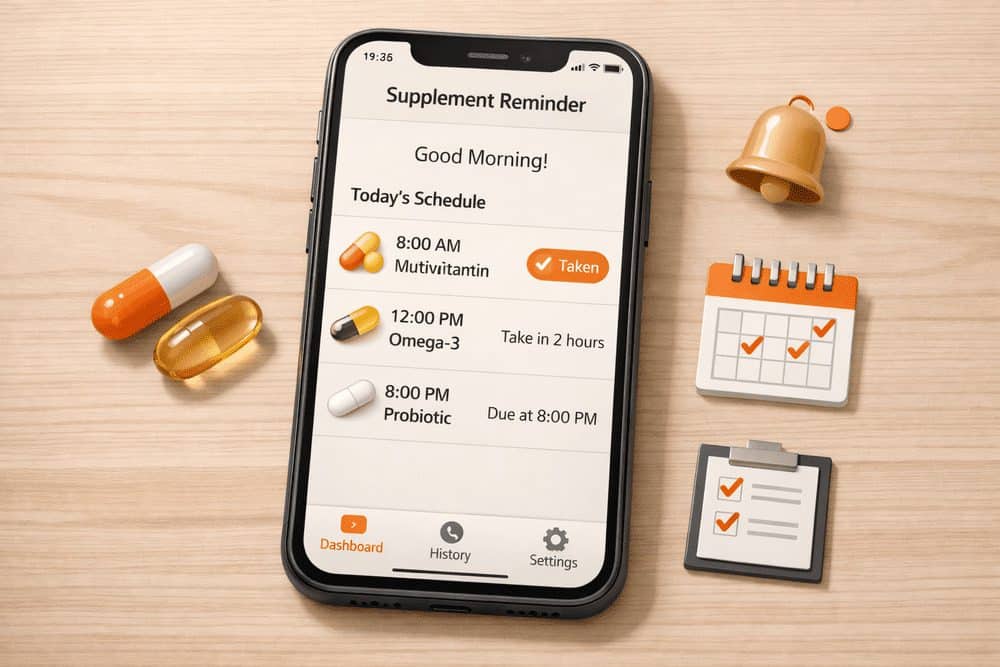
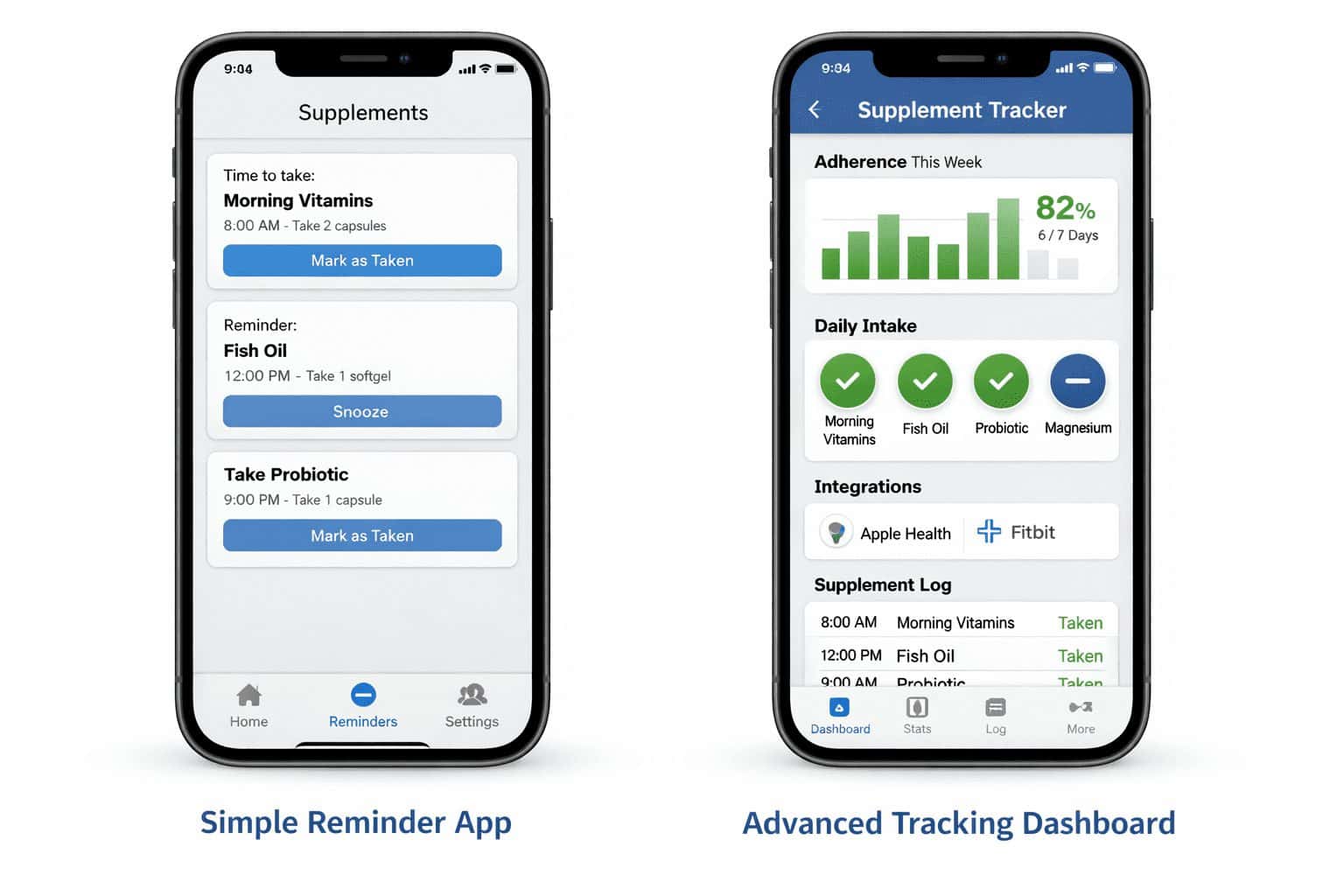
Direct answer: If you just need reliable reminders and check-off logging, choose a simple pill reminder app for supplements. If you manage multiple timing rules, travel often, or share tracking with family, choose a hybrid medication-and-supplement app. If you already use Apple Health, Google Fit, wearables, or nutrition platforms, a broader wellness app can be worth the extra setup. A broader wellness app only pays off if you actually connect it to the tools you already open daily.
Shortlist by use case
- Simple reminder apps: best for beginners who want a quick “take / skip / snooze” flow.
- Hybrid medication + supplement apps: best for complex schedules, refill prompts, and multi-profile support.
- Full wellness trackers: best if you also track food, sleep, symptoms, or biomarkers.
- Biohacker-style logs: best for people who want detailed notes, cycles, stacks, and trend analysis.
That’s the simplest way to think about the market. “Best” shifts a lot depending on whether your routine is two vitamins after breakfast or a 12-item stack with cycling, workout timing, and occasional pauses. I learned this the annoying way after trying a feature-heavy app that looked smart but needed six taps just to confirm one dose. The app that works for a two-vitamin routine will frustrate someone managing a 12-item stack.
For side-by-side comparisons, check these guides: Best habit tracking apps, Best health tracking apps, and Pill reminder apps comparison. The real comparison isn’t between apps—it’s between what you need to remember and what you’ll actually use.
Why the wrong app creates more problems than it solves
Choosing a supplement app isn’t just about convenience. For some supplements, timing and consistency matter: probiotics before meals, magnesium at night, iron away from certain foods or minerals, and workout-related supplements around training windows. Even when the stakes are lower than prescription medication, inconsistency can make your routine noisy and hard to evaluate. The noise isn’t the missed dose — it’s the doubt about whether you took it at all.
The biggest risk is not only missed doses. It’s duplicate intake, vague logs, and false confidence. I once relied on an app’s history screen to check whether I had taken vitamin D that morning. It showed “completed,” so I moved on. Later I realized I had tapped the notification while half awake and never actually took it. That was my mistake, but the design made it easy. A clean log is not the same as a true record.
This is also where people overestimate automation. Many apps can remind you, but few can verify intake unless you manually confirm it. Some databases include common vitamins and minerals but miss niche brands, custom stacks, powders, or rotating protocols. If your routine changes every few weeks, setup can get tedious fast. The automation that feels like a time-saver on day one turns into the thing you’re fighting by week three.
Useful context from broader wellness platforms and tracking analysis can be found at Nutrisense’s app overview, Supplements AI, and an external comparison perspective from Rouvy’s nutrition app roundup. They’re useful for understanding where supplement tracking overlaps with broader health logging.
A simple comparison table before you download anything
| App type | Reminder strength | Logging flexibility | Integrations | Typical cost | Best for |
|---|---|---|---|---|---|
| Basic reminder apps | Usually strong for fixed times, simple snooze, repeat alerts | Basic check-off history, limited notes | Often minimal | Free to about $2–$8/month | Beginners, low-friction routines |
| Hybrid medication + supplement apps | Strong, often with missed-dose follow-up and refill prompts | Better dose history, notes, profile support | Moderate | Free to about $5–$12/month | Complex schedules, caregivers |
| Full wellness trackers | Good, but reminders may be secondary | Broad logs for symptoms, food, sleep, metrics | Often strongest | About $10–$40/month depending on platform | People already tracking health data |
| Biohacker-style tools | Variable; sometimes weaker than expected | Highly customizable stacks, cycles, notes, experiments | Variable by platform | About $8–$25/month | Advanced users who like analytics |
These ranges are broad because pricing and features change often, especially between iOS and Android versions. That sounds minor, but it matters. I’ve seen the same app feel polished on iPhone and oddly limited on Android, or vice versa, after a version update. A version update can flip which platform feels like the afterthought.
What separates the best supplement tracking apps from the ones you delete in three days
Reminder quality matters more than flashy dashboards
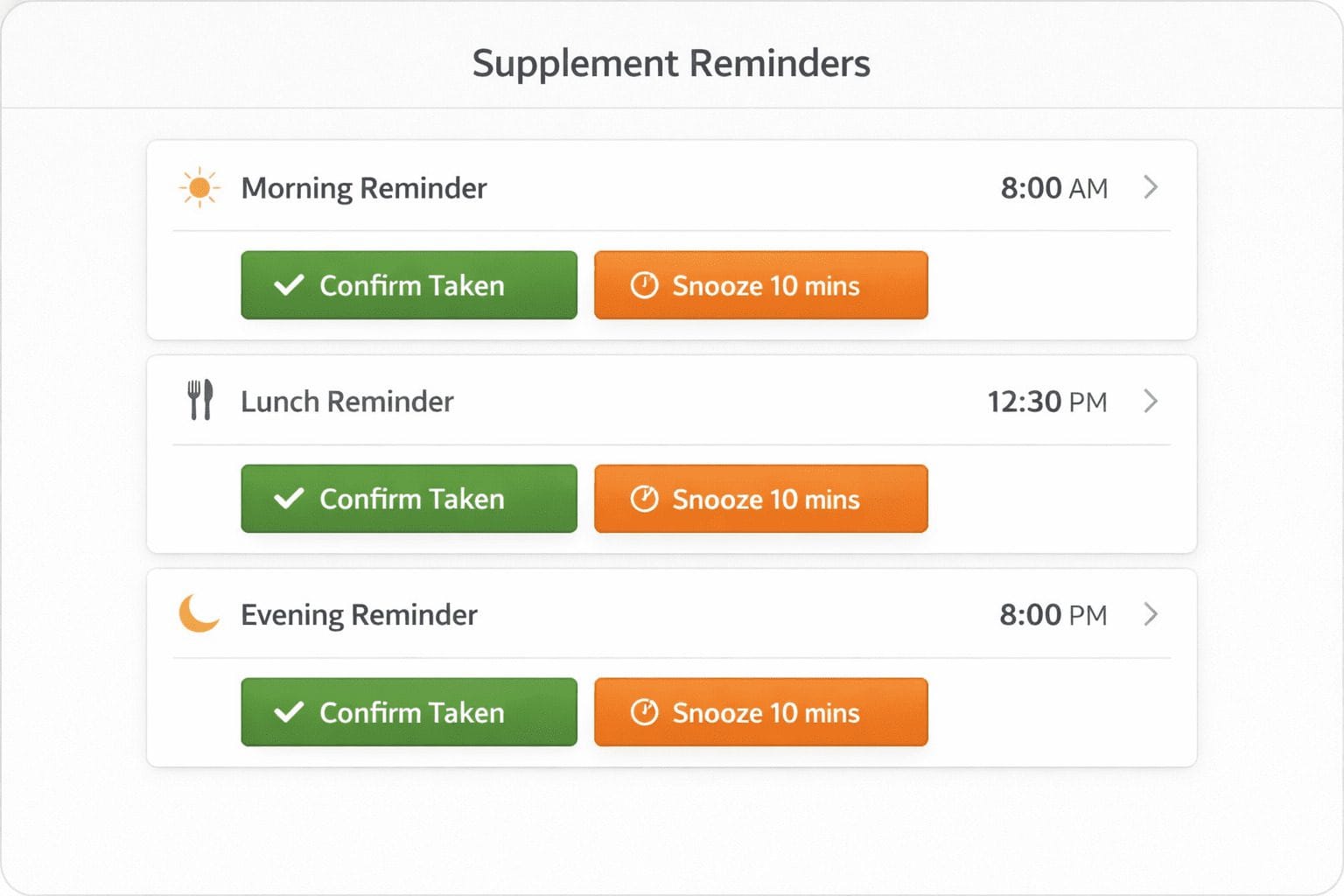
The first test is boring but decisive: do notifications arrive on time, repeatedly if needed, and with enough context to act? The best apps let you mark a dose as taken, skipped, or snoozed from the notification itself. A weak app forces you to open it, wait for it to load, then hunt for the right supplement. That extra friction sounds small until you repeat it four times a day. The friction compounds faster than the missed dose itself does.
Look for flexible snooze options, missed-dose follow-up, and distinct reminders for morning versus bedtime. Time-zone handling matters too. Frequent travelers should avoid rigid systems that fire based on the old local time after a flight. If your schedule shifts often, a good supplement schedule app should adapt without forcing a full rebuild. A schedule that survives a time-zone change is worth more than one that looks perfect on paper.
Logging should be fast enough that you’ll actually use it
Manual logging is where most apps lose people. Some are smooth: one tap to confirm, optional notes if you want them. Others are digital paperwork. If you need to enter dosage, brand, unit, meal timing, and notes every single time, you’ll quit by Thursday. If daily logging feels like admin work, adherence drops hard.
The sweet spot for many people is simple confirmation plus occasional notes such as “took late,” “paused due to stomach upset,” or “switched brand.” Full analytics are useful only if the app keeps the daily flow light. For broader routine design, see How to build a supplement routine and Are supplements worth it.
Complex routines expose weak scheduling fast
A lot of apps handle “take one capsule every morning.” Fewer handle “take this on weekdays only,” “cycle 8 weeks on, 2 weeks off,” “take with meals,” or “use as needed but no more than twice daily.” If your stack includes rotating adaptogens, workout supplements, or temporary protocols, test schedule editing before committing.
Database completeness also matters. Many apps know common supplements but may not include your exact product, proprietary blend, or powdered formula. That’s not always a deal-breaker if custom entries are easy. It is a problem if the app forces you into a generic item that makes your logs meaningless.
Integrations and privacy are useful, but only if they stay in proportion
If you already track sleep, workouts, or glucose, integrations can add context. A wellness app for tracking vitamins may sync with Apple Health or Google Fit, while nutrition-focused platforms sometimes connect supplement habits to food or symptom logs. Nutrisense and similar platforms show how supplement tracking can sit inside a bigger behavior picture rather than acting as a standalone checklist.
But read privacy settings carefully. Some apps collect more health-related data than you expect. Before you commit, check whether data export is available, whether deletion is straightforward, and whether the app shares information with third parties for analytics or advertising.
The mistakes that make supplement apps feel useless
Practical tip: test notifications on a weekday, a weekend, and one low-battery day before you trust any app. Some reminder systems behave differently under battery optimization or focus modes.
Warning: most apps require more manual setup than their screenshots suggest. Entering 6 supplements with custom times, doses, and notes can take 15–30 minutes, and you’ll still tweak it later.
Mistake one: assuming reminders equal adherence. They don’t. If you swipe away alerts while driving, cooking, or half asleep, the app may still look “used” while your routine quietly breaks down. Confirm intake only after you actually take it.
Mistake two: building a complicated system on day one. I’ve done this myself: color codes, meal tags, duplicate reminders, backup reminders, symptom notes, refill alerts. It felt organized for about 48 hours, then the phone started buzzing like an annoyed smoke detector. Notification fatigue is real, and once you start ignoring alerts, even a good supplement adherence app becomes wallpaper.
Another common misconception is that a big supplement database automatically means a better app. Sometimes it just means clutter. What matters more is how easily you can create custom entries, edit doses, and review your history without scrolling through a maze.
If you want a broader look at app behavior and habit consistency, the internal guide on habit tracking apps pairs well with this topic.
Which app type fits your routine, personality, and tolerance for friction?
Beginners: Start with a simple best vitamin reminder apps-style setup. If you take a multivitamin, omega-3, magnesium, and maybe vitamin D, you probably do not need a full wellness dashboard. A lightweight app to track supplement intake with one-tap confirmations is usually enough.
Frequent travelers: Choose flexible scheduling with clear time-zone behavior, easy snooze options, and the ability to shift reminders without rebuilding the whole plan. This is where hybrid apps often beat simpler ones.
Caregivers or households: Look for multi-profile support, clear history, and stronger accountability features. A medication and supplement reminder app is usually the safer pick here because it tends to handle multiple people better than minimalist vitamin tools.
Biohackers and data-trackers: If you cycle stacks, test protocols, or correlate supplements with sleep, recovery, or symptoms, advanced logging tools or broader health platforms make more sense. Just accept the trade-off: more insight usually means more maintenance.
This is ideal for: people who already take supplements daily, want fewer missed doses, and are willing to spend 5–10 minutes setting up a routine properly.
You might want to skip a dedicated app if: you only take one supplement occasionally, hate notifications, or know from experience that you won’t open an app after the first week. In that case, a physical pill organizer plus one calendar reminder may work better. Fit matters more than features. Always.
A setup plan that takes 20 minutes and saves a lot of daily friction
| Step | What to do | Why it matters |
|---|---|---|
| List your supplements | Write down name, dose, timing, and any meal rules | Prevents messy setup and duplicate entries |
| Choose your complexity level | Decide if you need simple reminders or full logs and integrations | Avoids overbuying features you won’t use |
| Test 1–2 apps only | Run a short side-by-side trial for 7 days | Makes differences obvious quickly |
| Verify notifications | Check battery settings, focus modes, sounds, and lock-screen actions | Prevents silent reminder failures |
| Track for one week | Notice missed taps, annoying alerts, and schedule confusion | Real use beats first impressions |
| Review monthly | Remove supplements you stopped and simplify alerts | Keeps the system usable over time |
My advice: start with fewer reminders than you think you need. One morning reminder and one evening reminder often work better than six tiny alerts spread across the day. You can always add more later. Going too hard at the start is one of the fastest ways to burn out on a new app.
If your routine is still fuzzy, read How to build a supplement routine before you lock anything in.
Frequently asked questions before you pick an app
Are supplement tracking apps accurate?
They can be accurate for reminders and history, but only if you confirm doses honestly and the schedule is set correctly. They do not automatically know what you swallowed. Accuracy also depends on database quality, custom entries, and whether the app behaves reliably on your phone’s notification settings.
Can a supplement app replace medical advice?
No. An app helps with organization, not clinical judgment. It won’t tell you whether a supplement is appropriate, whether doses interact, or whether your timing is medically sound. Use it as a routine tool, not as a substitute for guidance from a qualified professional.
Are free apps enough, or is paid worth it?
Free is often enough for simple routines: fixed reminders, basic logs, and one profile. Paid plans become more useful when you need custom schedules, exports, refill reminders, household management, or broader health integrations. A realistic range is free to about $12 per month for reminder-focused apps, with wellness platforms going higher.
What’s best for a complex routine with cycling or variable doses?
A hybrid medication-and-supplement app or an advanced logging platform is usually the better fit. You’ll want editable schedules, notes, pause functions, and a clear history. Test schedule changes before subscribing. Some apps look advanced but fall apart when you try to handle weekdays-only dosing, travel shifts, or temporary pauses.
The best app is the one you’ll still be using next month
After comparing the main categories, the pattern is pretty clear. The best supplement tracking apps are not necessarily the most advanced. They’re the ones that match your routine complexity, send dependable reminders, and make logging feel almost effortless. For many people, that means a simple reminder-first app. For travelers, caregivers, and people with layered schedules, hybrid tools are usually worth the extra setup. For data-heavy users, broader wellness platforms can be helpful if you genuinely use the analytics.
I’d rather use a plain app that I trust every day than a beautiful one I quietly stop opening after a week. That’s the real filter. Consistency beats sophistication when the goal is actually taking the supplements you planned to take.
Try two apps for seven days, keep the one that creates the least friction, and delete the rest.
Ready to choose? Start small and test before you commit
Pick one simple app and one more advanced option, run both for a week, and compare three things: reminder reliability, logging speed, and how annoyed you feel by day five. That tells you more than any app store description will.
If your routine still feels inconsistent after testing, it usually means the problem isn’t the app itself but how your habits are structured — in that case, start by fixing your daily system first with simple stress-reducing habits or a more stable routine from a balanced lifestyle setup.