Best Smart Home Devices for Beginners That Keep Setup Simple
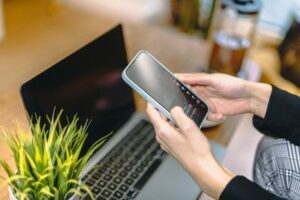
The best smart home devices for beginners are the ones that save time on day one, do not need rewiring, and do not trap you in a confusing mess of apps. If you are staring at smart speakers, bulbs, plugs, cameras, and three different voice assistants wondering where to start, this guide is built for you.
I remember opening my first smart bulb and realizing I needed what felt like three apps already. That small moment was enough to make the whole idea seem more stressful than helpful. The good news: you can start with just a few beginner-friendly smart home products and get a setup that feels useful, calm, and low-risk.
a small smart home setup for beginners that works fast, costs less than a major appliance, and does not require wiring or a weekend project.
The easiest best smart home devices for beginners to buy first
Quick answer: Start with a smart speaker, one or two smart bulbs, and one or two smart plugs.
That mix gives you voice control, simple automation, and instant everyday value without wiring. If your budget allows, add a video doorbell or indoor camera later.
For most people, these starter smart home devices hit the sweet spot: easy install, clear benefit, and low commitment. A realistic starter bundle usually lands between $100 and $250, depending on brand and whether you choose one speaker or a small pack of bulbs.
- Smart speaker: your control center without needing a separate hub in many cases
- Smart bulbs: fastest way to feel the magic of automation
- Smart plugs: cheapest upgrade for lamps, fans, or coffee makers
- Optional camera or doorbell: useful if security matters more than convenience
If you buy just those, you are off to a good start. For more device-specific picks, see our Smart Speaker Buying Guide, Best Budget Smart Bulbs, and Smart Plug Uses and Ideas.

Why your first smart home choices matter more than you think
The first devices you buy shape everything that comes after. Choose well, and your home feels reassuringly simple. Choose badly, and you end up with app overload, voice commands that only work sometimes, and devices that refuse to talk to each other.
One of the biggest issues is ecosystem lock-in. Alexa, Google Home, and Apple Home can all run a good beginner setup, but they do not handle every device the same way. If you mix brands too early, you may discover one bulb works in one app, your plug works in another, and your routines are split across both. I made that mistake once, and cleaning it up was more frustrating than the original setup.
Wi-Fi matters too. A small apartment with one decent router can make smart home devices that are easy to install feel almost effortless. A larger home with thick walls or weak signal in the back bedroom may produce random disconnects. That variable changes the experience more than many first-time buyers expect. If your connection is spotty, read How to Improve Home Wi-Fi for Smart Devices before adding too much gear.
Then there is privacy. Speakers and cameras are useful, but they also put microphones and lenses in your living space. That is not a reason to avoid them entirely; it is a reason to check mute buttons, recording settings, account security, and cloud storage policies before you buy.
Finally, cost creep is real. A single plug feels cheap. Then you add bulbs, a doorbell, a camera subscription, maybe a thermostat, and suddenly your “small experiment” is no longer small. Starting with budget smart home devices for beginners helps keep expectations realistic.
A side-by-side look at beginner-friendly smart home products
| Device type | Difficulty | Typical cost | Day-one usefulness | Setup time | Compatibility notes |
|---|---|---|---|---|---|
| Smart speaker | Easy | $30–$100 | High | 10–15 min | Choose Alexa, Google, or Apple first |
| Smart bulbs | Easy | $10–$50 each | High | 5–15 min | No-hub bulbs are simplest for beginners |
| Smart plugs | Very easy | $10–$30 each | Very high | 5–10 min | Works well across major ecosystems |
| Camera / doorbell | Easy to moderate | $40–$250 | Medium | 15–45 min | Check storage fees and privacy settings |
| Smart thermostat | Moderate | $100–$250+ | Medium to high | 30–90 min | Check wiring and HVAC compatibility |
What you actually notice on day one? Speakers, bulbs, and plugs make the biggest difference the fastest. Thermostats can be excellent, but they are rarely the best first purchase unless energy savings is your main goal.
The best smart home devices for beginners, explained in real life
Smart speakers are the easiest control center
If you want one device that makes the rest feel connected, start here. A smart speaker lets you use voice commands, timers, routines, and app-based control from one place. It is the closest thing to a hub-lite for a first-time buyer.
The best smart speakers for beginners are usually the entry-level models from Amazon, Google, or Apple, depending on your phone and comfort level. Alexa often has broad device support and easy setup. Google tends to feel natural for search and Android users. Apple is usually strongest for privacy and works best if your household already uses iPhones and HomeKit accessories. If you are comparing them directly, our Alexa vs Google Home Comparison can help.
Who should skip a speaker? Anyone who dislikes always-on microphones, shares a home where voice control would be awkward, or simply prefers app control only.
Smart bulbs give the fastest payoff
Bulbs are among the best smart bulbs for beginners because setup is usually just screw in, connect, and name the room. The first time you say “turn off bedroom lamp” and hear the faint click of the relay before the room goes soft and dark, it feels genuinely useful rather than gimmicky.
No-hub bulbs are the simplest choice for easy smart home devices for beginners. Hub-based systems can be more stable and scalable, but they add another box, another cost, and another setup step. For a first apartment or small home, no-hub is often enough.
Smart plugs are the cheapest smart upgrade that still feels clever
Plugs are often the answer to “what smart home devices should I buy first?” if your budget is tight. They work with things you already own: lamps, fans, holiday lights, and sometimes coffee makers if the switch stays on after power returns.
A lamp by the couch is a perfect first target. So is a bedside lamp you never want to reach for at night. These are some of the best smart plugs for beginners because they turn ordinary routines into simple automations.
Cameras and video doorbells are useful, but they are optional
If package theft, front-door visibility, or checking on pets matters to you, a camera or doorbell can be worth adding. But this is where the trade-off between security and privacy gets real. Many models also push you toward subscriptions for cloud video history or smart alerts. That is why I see them as a second-wave purchase, not part of every starter kit.
Thermostats are better later for most people
Smart thermostats can save energy and improve comfort, but they are not usually the easiest first step. Wiring, HVAC compatibility, and installation complexity make them less beginner-friendly than bulbs or plugs. Unless heating and cooling control is your main problem, skip this one at first.

Common mistakes to avoid before you fill your cart
Put your first smart plug on something you already use daily, like a lamp, so you actually notice the benefit.
Do not mix Alexa, Google, and Apple devices too early unless you enjoy troubleshooting. That lesson cost me time and patience.
The most common beginner mistake is buying too many devices at once. It feels efficient, but it turns setup into a confusing batch process where you cannot tell which device or app is causing the problem. Start small and test stability first.
Check your Wi-Fi strength where the devices will actually live, not just where your router sits. A plug in the garage or a camera near the front door may behave differently than a speaker in the living room. If signal is weak, the issue is not always the device.
Privacy settings deserve attention too. Review microphone controls, motion zones, data sharing, and account permissions. Especially with cameras, the default settings may not match your comfort level.
Also watch for subscriptions. Some cameras and doorbells are affordable upfront but less attractive once monthly storage fees appear. That does not make them bad products, but it changes the real cost.
The right starter setup depends on where you live and what you can spend
The best choice is not just about specs. It is about your home, your tolerance for setup, and whether you rent or own.
Apartment dwellers: focus on bulbs, plugs, and a compact speaker. These are ideal easy smart home devices for beginners because they need little space and no drilling. In smaller homes, Wi-Fi is often more consistent too.
Renters: avoid anything that needs permanent wiring or hardware changes unless your lease allows it. Smart plugs, bulbs, and portable speakers are safer bets.
Homeowners: you can consider a doorbell or thermostat sooner, but only if you want those specific benefits. Bigger homes may need better Wi-Fi planning before expanding.
Budget under $100: buy one smart plug and one or two bulbs. This is the safest low-cost trial.
Budget $100 to $250: this is the sweet spot for a smart speaker, a couple of bulbs, and one or two plugs. For many people, this is the complete starter bundle.
Budget $250+: add a camera or doorbell if security matters, but only after your core setup is stable.
As for platforms, Alexa is often the easiest for broad compatibility, Google is strong for households already using Google services, and Apple is appealing if privacy and iPhone integration matter most. There is no perfect option. One honest downside of smart homes is app clutter and occasional reliability issues, even with good products. The goal is not perfection. The goal is fewer small frictions in daily life.
For broader buying context, PCMag’s guide to the best smart home devices, Crutchfield’s smart home buying guide, and USA Today’s beginner guide to smart home automation are all useful references if you want a wider market view.
A simple first-week smart home setup for beginners
You do not need to build a whole system in one day. A better plan is to make one room or one routine work well, then expand.
| Step | What to do | Why it matters |
|---|---|---|
| Choose one ecosystem | Pick Alexa, Google, or Apple first | Reduces compatibility headaches |
| Buy only 2–3 devices | Start with a speaker, bulb, or plug | Keeps setup manageable |
| Set up the app carefully | Update firmware and connect devices | Improves stability early |
| Create one simple automation | Example: lamp on at sunset | Shows real value quickly |
| Expand only after a stable week | Add another room or device type | Prevents small issues from multiplying |
Practical tip: name devices simply, like Bedroom Lamp or Coffee Plug, or voice control gets frustrating fast. I learned that after trying to remember a “clever” device name that sounded fun and worked terribly.
Progress beats perfection. If one lamp and one routine make your evenings easier, that is already a successful smart home setup for beginners.
Answers to the beginner questions people ask most
What smart home devices should I buy first?
Start with a smart speaker, one or two smart bulbs, and one or two smart plugs. These give the best mix of convenience, low cost, and easy setup.
Do I need a hub?
Usually not for your first setup. Many beginner devices connect directly over Wi-Fi or through a smart speaker ecosystem. Dedicated hubs make more sense later if you expand.
Are smart homes expensive?
They can be, but they do not have to be. A practical beginner setup can stay under $100 or sit comfortably in the $100–$250 range.
What happens if Wi-Fi goes down?
Most cloud-connected smart features stop working or become limited. Some devices still work manually, but voice control and automations may fail until your network returns.
Can multiple people in the home share control?
Yes, most major platforms allow household sharing, though setup varies by ecosystem. It is worth configuring this early so one person is not the only one with access.
If you have been hesitating because the category feels confusing, that is normal. Start small, choose one ecosystem, and buy only the devices you can imagine using every day. That approach is much more likely to leave you relieved than regretful.
Start small and your smart home will feel smarter
The best smart home devices for beginners are not the flashiest ones. They are the ones that install in minutes, solve a real annoyance, and keep working without drama. For most first-time buyers, that means a speaker, a couple of bulbs, and a plug or two.
That setup is enough to turn off lights from bed, automate a lamp at sunset, or make your morning routine a little calmer. You do not need a full connected house to get the benefit — just a few smart choices.
Build your first setup with confidence
If you are ready to move from browsing to buying, keep it simple: pick your ecosystem, choose 2–3 devices max, and make one room work well first.
Helpful next reads: